

 Updated on 7 May 2026

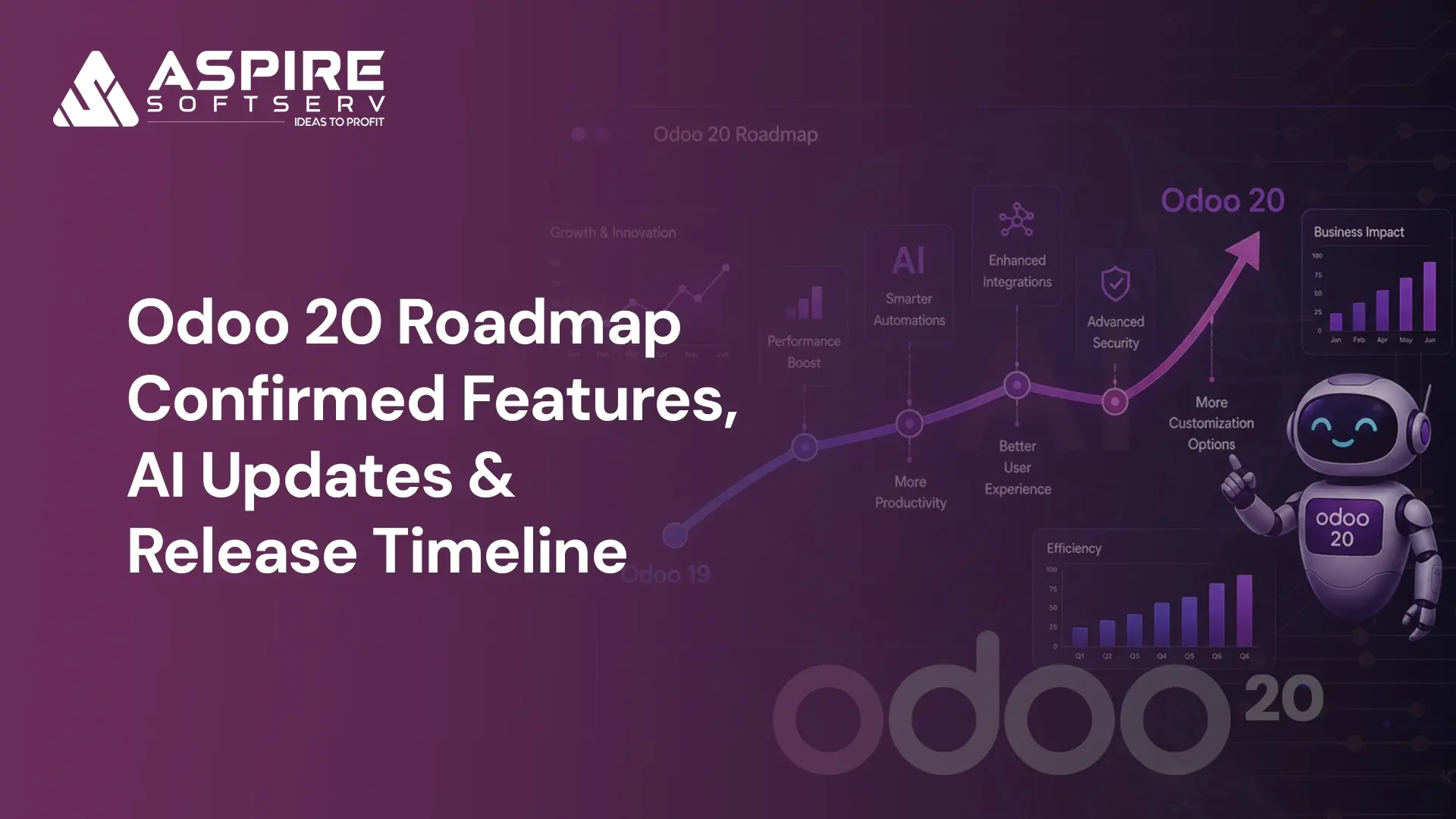
The upcoming release of Odoo 20 is shaping up to be one of the most feature-rich updates in recent years. With a strong focus on Artificial Intelligence, automation, usability improvements, and industry-specific enhancements, Odoo 20 aims to streamline business processes across multiple departments.
In this blog, we will explore the expected features of Odoo 20, highlight key module improvements, compare it with previous versions, and help businesses understand how these changes can impact their ERP strategy. Whether you are in Accounting, Sales, Inventory, Manufacturing, or HR, Odoo 20 brings meaningful upgrades worth understanding.
Businesses running Odoo are always working with whatever version they are on right now. The next one is already being shaped. Odoo 20 is on the horizon, and if infrastructure planning, team workflows, or budget cycles are part of the picture for your company, this is not something to catch up on later. The time to prepare is now.
Odoo 20 Release Date: Release Timeline & OXP 2026 Details
Based on Odoo’s consistent yearly release pattern with Odoo 16 in October 2022, Odoo 17 in October 2023, and Odoo 18 in October 2024 Odoo 20 is widely expected to arrive around October 2026. The official announcement is anticipated during OXP 2026, the company’s annual event where major feature reveals and release confirmations traditionally take place.
The October release window has remained consistent over the years, making it a practical benchmark for planning. Still, it is worth monitoring the official Odoo roadmap as 2026 progresses, since timelines can shift ahead of the event. For companies on v15 or v16, this timeline is already relevant, as upgrading takes careful planning, module compatibility reviews, and infrastructure preparation well in advance.
Key Expected Features in Odoo 20
The upcoming version is expected to emphasize AI-driven automation, enhanced usability, and stronger integration across modules. Key areas such as Accounting, POS, Inventory, CRM, Website, and Manufacturing are set to receive updates aimed at simplifying workflows and improving operational efficiency. Here are eight standout features businesses can look forward to.
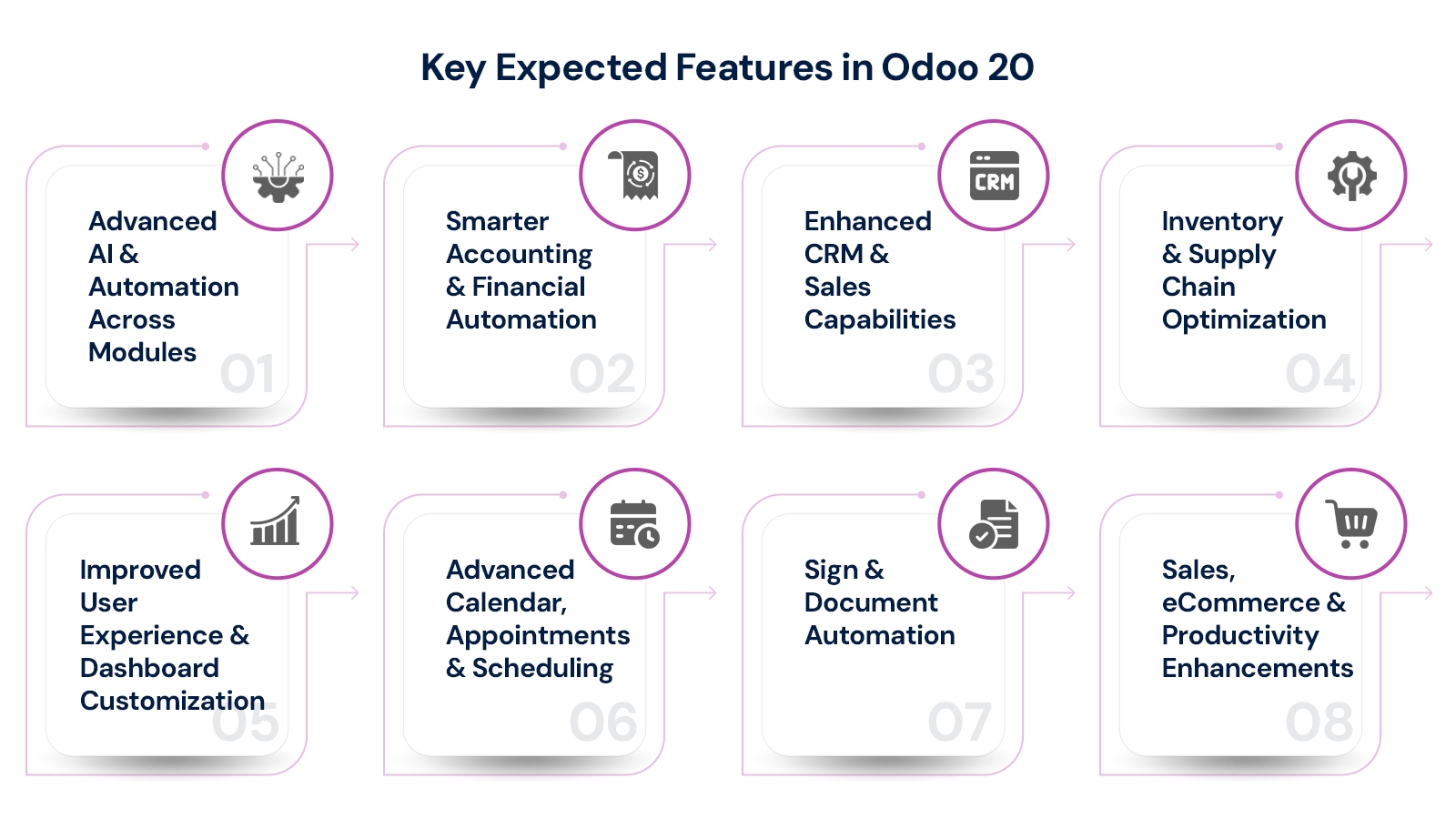
1. Advanced AI & Automation Across Modules
Odoo 20 is expected to expand AI capabilities significantly covering AI-assisted accounting for non-finance users, AI-powered website support, and automated record creation. Marketing automation and workflow automation are also becoming more intelligent, reducing manual effort across departments. Predictive analytics for Sales and Inventory, AI-driven lead scoring in CRM and automated financial anomaly detection are among the headline capabilities.
2. Smarter Accounting & Financial Automation
Accounting workflows are becoming more efficient with real-time bank reconciliation, invoice matching with purchase orders, and the ability to pay directly from Odoo. Multi-country compliance is also handled more effectively, making it valuable for businesses operating across borders. A new Payroll dashboard is expected to provide better visibility into compensation and payroll processes, reducing month-end manual workload.
3. Enhanced CRM & Sales Capabilities
CRM is shifting toward more meaningful, data-driven insights. Lead scoring will rely on behavioral data rather than static input fields, while pipeline forecasting becomes more aligned with actual deal movement. Customer information including invoices, support tickets, and communication history will be consolidated into a single view, making day-to-day usage significantly more efficient for sales teams.
4. Inventory & Supply Chain Optimization
Inventory management is becoming more practical for growing businesses. Demand forecasting will account for seasonal trends and supplier timelines, while warehouse processes can be automated to reduce manual intervention. Multi-location inventory management is also improving, with redesigned labels, enhanced batch and wave management, better routing rules, and barcode-ready package handling particularly useful for eCommerce operations.
5. Improved User Experience & Dashboard Customization
Dashboards in Odoo 20 are expected to adapt based on user roles, reducing the need for manual setup. Navigation should become more straightforward, helping users access frequently used features without navigating multiple layers. A refreshed mobile profile interface will also enhance the experience across devices, making the platform more accessible for field teams and remote users.
6. Advanced Calendar, Appointments & Scheduling
Odoo 20 is expected to introduce multi-calendar management, personal booking pages, and better activity tracking. Synchronization with Google and Outlook calendars, slot buffering, capacity management, and improved visibility controls will make scheduling more efficient. Appointment management will include visual slot creation and POS floorplan integration for hospitality and service-based businesses.
7. Sign & Document Automation
The Sign module will offer automated signature requests, activity-based workflows, mobile-friendly editing, and broader localization support. Users will be able to export answers in bulk and automatically update Odoo fields from signed documents. Knowledge and document management will also introduce improved group organization, making document workflows faster and more reliable.
8. Sales, eCommerce & Productivity Enhancements
Sales and eCommerce are expected to gain automated cross-sell features, return management, improved product variant handling, and better pricing flexibility including seasonal pricing. On the productivity side, dynamic spreadsheet functions, improved dashboards, period comparison tools, and built-in timesheet timers will simplify reporting and time tracking across teams.

Business Impact Across Industries after Odoo 20
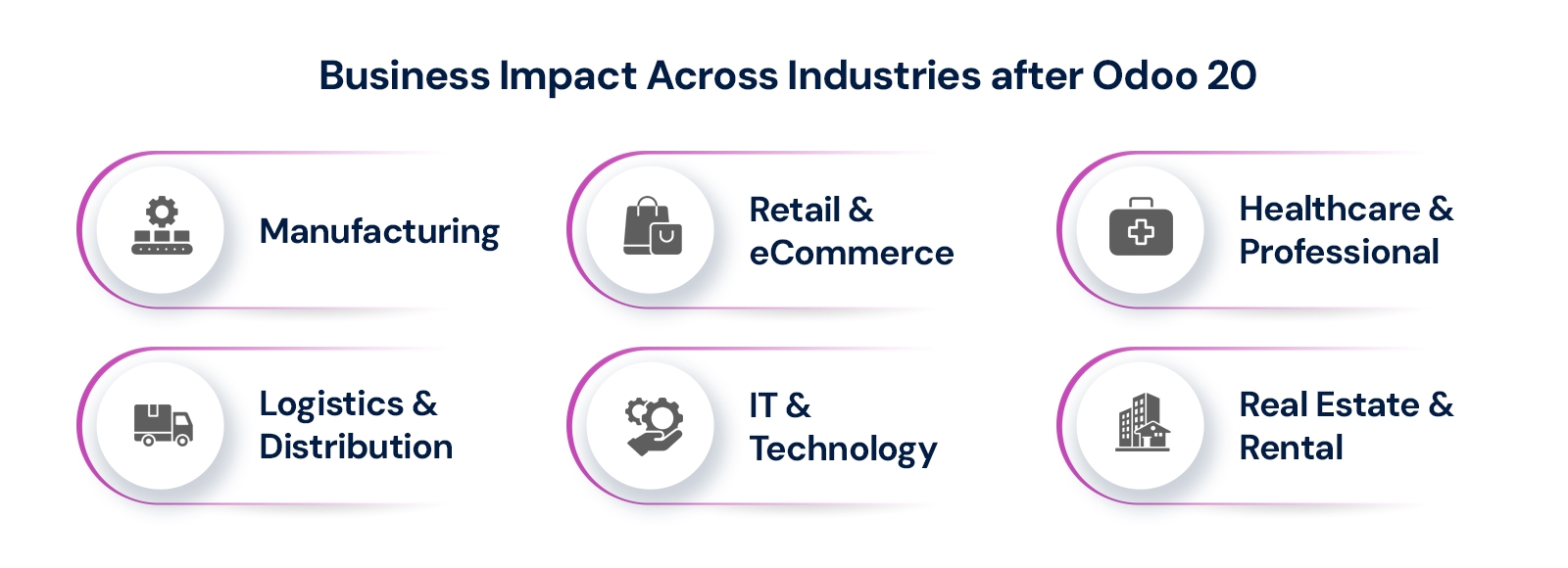
Odoo 20’s improvements extend well beyond a single sector. The combination of AI-driven automation, smarter financial tools, and enhanced operational modules creates measurable value across a range of industries. Here is how six key sectors stand to benefit from the upcoming release.
1.Manufacturing
Manufacturers benefit from Kanban views for manufacturing and work orders, improved PLM reporting, and smarter inventory routing. Demand forecasting aligned with supplier lead times helps reduce production delays, while automation in procurement and stock replenishment cuts down on manual intervention and keeps production lines running smoothly.
2. Retail & eCommerce
Retailers gain from automated cross-sell capabilities, return management, unified pricelists, and improved variant handling. Multi-location inventory management and barcode-ready package handling make it easier to manage stock across physical and online channels simultaneously, addressing a long-standing gap for eCommerce businesses relying on separate inventory tools.
3. Healthcare & Professional Services
Healthcare and professional services organizations benefit from advanced scheduling with multi-calendar support, personal booking pages, and capacity management. Automated document workflows via the Sign module reduce administrative overhead, while timesheet improvements and CRM consolidation help service teams manage client relationships and billing more efficiently.
4. Logistics & Distribution
Logistics companies gain from improved warehouse routing rules, enhanced batch and wave management, and smarter demand forecasting. Better API performance and third-party integration stability reduce friction when connecting Odoo with last-mile delivery platforms, fleet management systems, and carrier integrations that are common in distribution operations.
5. IT & Technology Companies
IT companies benefit from multi-pipeline CRM management, dynamic lead scoring, and improved project-to-timesheet workflows. The dynamic spreadsheet functions and period comparison tools in reporting help technology businesses track project margins and resource utilization, while communication tools including video conferencing and polls support remote team collaboration.
6. Real Estate & Rental Management
Real estate and rental businesses benefit from unified pricelists, seasonal pricing controls, and improved contract and document automation via the Sign module. The scheduling improvements and personal booking pages also support property viewing management and client appointment workflows, reducing administrative effort for leasing and property management teams.
Across all these sectors, the common thread is reduced manual effort, smarter data visibility, and workflows that scale with business growth without requiring constant reconfiguration.
Benefits of Odoo 20 for Businesses
Odoo 20 is not just about new features it is about making existing capabilities work harder for businesses. The updates across modules translate into concrete operational advantages that affect daily workflows, financial outcomes, and long-term scalability. Here are six key business benefits of upgrading to Odoo 20.
Increased Operational Efficiency: Automation reduces time spent on repetitive tasks like invoice matching, inventory replenishment, and lead follow-ups, freeing teams to focus on higher-value decision-making and strategic work.
Better Decision-Making with AI Insights: Reporting becomes proactive rather than reactive. AI-driven dashboards highlight what needs attention without requiring teams to manually build and run queries each time.
Reduced Manual Work Across Departments: Processes like bank reconciliation, document signing, timesheet tracking, and stock routing can be handled automatically, significantly cutting down on administrative overhead across finance, operations, and HR.
Scalable ERP for Growing Businesses: The modular structure allows businesses to start with essential features and expand as operations grow. There is no need to replace the system, making it a sustainable long-term ERP investment.
Improved Financial Control & Compliance: Real-time reconciliation, multi-country tax compliance, flexible pricing, and direct payment capabilities from Odoo give finance teams stronger control over cash flow and regulatory requirements.
Enhanced Collaboration & Communication: Built-in video conferencing, polls, transcript support, and scheduled comments in the communication module reduce reliance on external tools and keep team interactions centralized within the ERP.
Together, these benefits make Odoo 20 a compelling upgrade for businesses that have outgrown the capabilities of older versions or are looking to extract more value from their ERP investment without replacing the entire system.
Odoo 19 vs Odoo 20: Key Differences
Understanding what changes between versions helps businesses evaluate whether an upgrade aligns with their current operational needs. The table below summarizes the key differences between Odoo 19 and the expected capabilities of Odoo 20.
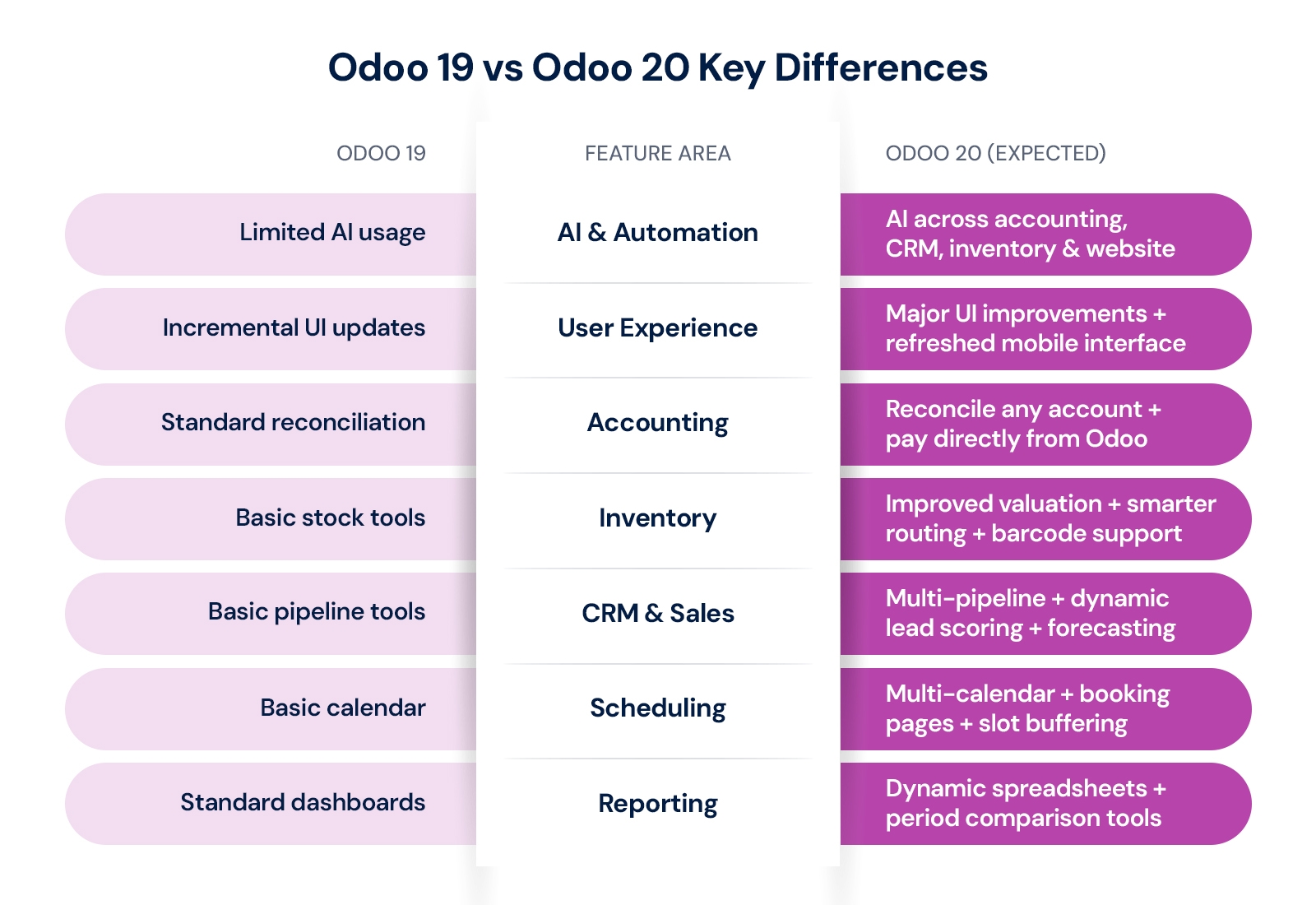
The shift in Odoo 20 is less about adding entirely new modules and more about improving how existing ones perform. Accounting, CRM, Inventory, and Reporting all become more capable without requiring businesses to change how they fundamentally use the system.

How Should You Upgrade to Odoo 20? And How to Prepare?
Businesses currently using v15, v16, or v17 and experiencing limitations in automation, reporting, or financial workflows should start planning an upgrade now. For companies that recently moved to v18 or v19 and have stable setups, a more measured approach evaluating specific gaps before committing is equally valid.
Step 1: Audit Your Current System
Begin with a complete inventory of your current Odoo environment. Identify which modules are actively in use, what customizations exist, and whether those customizations are maintained internally or by a third-party developer. This audit forms the foundation of your upgrade plan and helps surface hidden compatibility risks early.
Step 2: Assess Customization Compatibility
Custom modules are the most common source of post-upgrade issues. Each customization needs to be evaluated against the new version’s architecture. In many cases, functionality that required custom development in older versions may now be handled natively by Odoo 20, simplifying the overall codebase and reducing ongoing maintenance costs.
Step 3: Build Your Migration Timeline
Plan your migration timeline around the expected October 2026 release. Allow time for setting up a dedicated testing environment, running parallel systems where needed, and conducting thorough user acceptance testing. For organizations with complex setups, a staged rollout by department or region is often more effective than a full cutover.
Step 4: Train Your Team on What Changes
Rather than full system retraining, focus user training on what specifically changes between versions. New AI-driven workflows, updated dashboard layouts, and changes to module navigation are the areas where users are most likely to need guidance. Targeted training reduces disruption and accelerates post-upgrade adoption.
Step 5: Work with an Experienced Odoo Partner
An experienced Odoo implementation partner can make a significant difference in upgrade quality and timeline predictability. The gap between older versions and Odoo 20 can be substantial, and having the right technical support reduces the risk of post-launch issues, data integrity problems, and workflow gaps that affect day-to-day operations.
How Aspire Softserv Supports Odoo Version Upgrades?
Aspire Softserv brings deep expertise in Odoo implementation, customization, and version upgrades, helping businesses across manufacturing, distribution, professional services, and retail navigate ERP transitions with confidence. With a proven methodology that minimizes operational disruption, the team guides clients through staged testing environments, parallel run periods, and focused user training on what changes between versions rather than full system retraining.
For businesses currently running older Odoo versions and evaluating whether to upgrade to v19, jump directly to v20, or begin fresh, Aspire Softserv offers upgrade readiness assessments that inventory the current customization landscape, identify compatibility risks, and produce a realistic timeline and cost estimate before any commitment is made. For new businesses timing their ERP implementation around the Odoo 20 release, the team advises on whether to proceed now on v19 or wait, based on the specific implementation scope and business urgency.
Final Thoughts
Odoo 20 represents a meaningful shift toward an ERP platform that handles more of the operational workload automatically. The most valuable improvements are not just new features in isolation, but how they reduce everyday friction in tasks like invoice reconciliation, lead management, inventory replenishment, and financial reporting that currently consume significant team bandwidth.
Whether you are planning a fresh implementation, a long-overdue upgrade from an older version, or simply evaluating your ERP roadmap for the next two years, Odoo 20 is worth understanding now. Having the right strategy in place before the October 2026 release means your business can hit the ground running from day one rather than catching up after the fact.
Ready to make Odoo 20 work for your business?