

 Updated on 17 August 2026

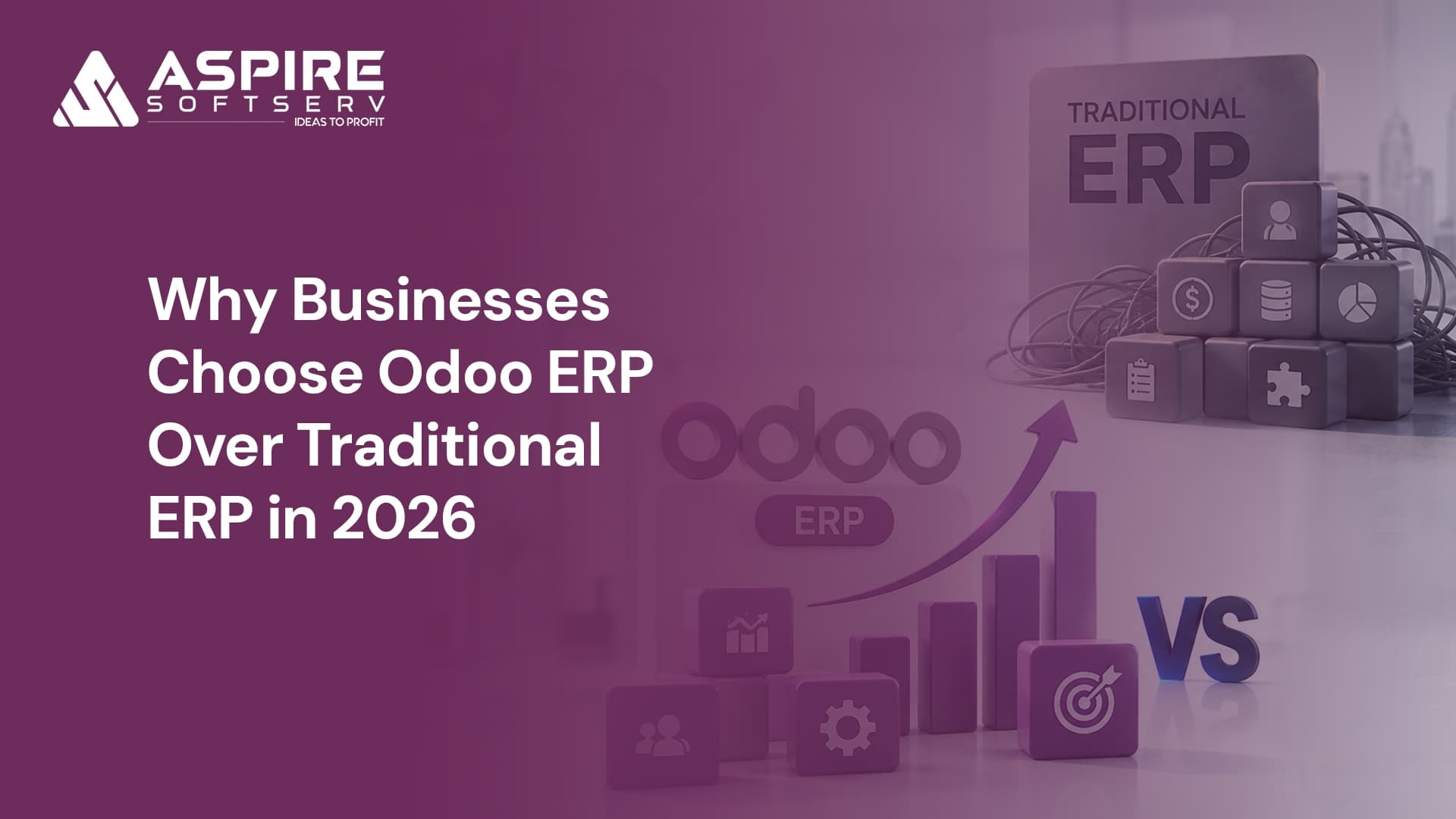
If you're the one signing the ERP renewal invoice, you already know the frustration. The number went up again, and your team is still exporting to Excel to build the report finance actually needs. That's the moment most businesses start asking whether Odoo ERP is a real alternative to their traditional system. It's the question this article answers directly, using our own implementation experience rather than a generic vendor comparison.
Why Traditional ERP Systems Struggle to Meet Modern Business Needs
Legacy ERP platforms were built for an era when business processes stayed the same for years at a time. They centralized operations well. They were not built to change quickly, and that gap is now costing businesses money.
1. High maintenance costs: Licensing fees, annual contracts, and infrastructure add up fast, and the total cost of ownership is hard to justify once you actually total it.
2. Slow implementation and upgrade cycles: Legacy rollouts run months to years. Even a minor workflow change pulls in consultants, testing cycles, and downtime.
3. Vendor lock in: Proprietary technology ties you to one vendor for every future upgrade and support contract. That makes switching expensive later, by design.
4. Limited customization: Rigid software forces your team to adjust their workflow to the system, not the other way around, and every customization raises the cost of the next upgrade.
5. Data silos across departments: Sales, finance, and inventory running on separate systems means duplicate data entry and reporting gaps nobody trusts. This is exactly what we found with N-Tex before their Salesforce to Odoo consolidation: sales and finance were reconciling numbers by hand every month.
6. Complex integrations: Connecting a CRM, an eCommerce store, or an AI tool to a legacy ERP usually means custom middleware, which adds cost and a new thing to maintain.
7. Limited AI and automation: Most legacy platforms weren't built with automation in mind, so businesses bolt on third party tools for tasks the ERP should handle natively.
8. Scalability limits: Growing transaction volumes and new markets expose performance ceilings and licensing costs that only get worse as you scale.
How Odoo ERP Solves What Legacy Systems Can't
Odoo isn't just cheaper SAP. Its architecture is built around modularity and open source flexibility from the ground up, and that changes what's actually possible day to day.
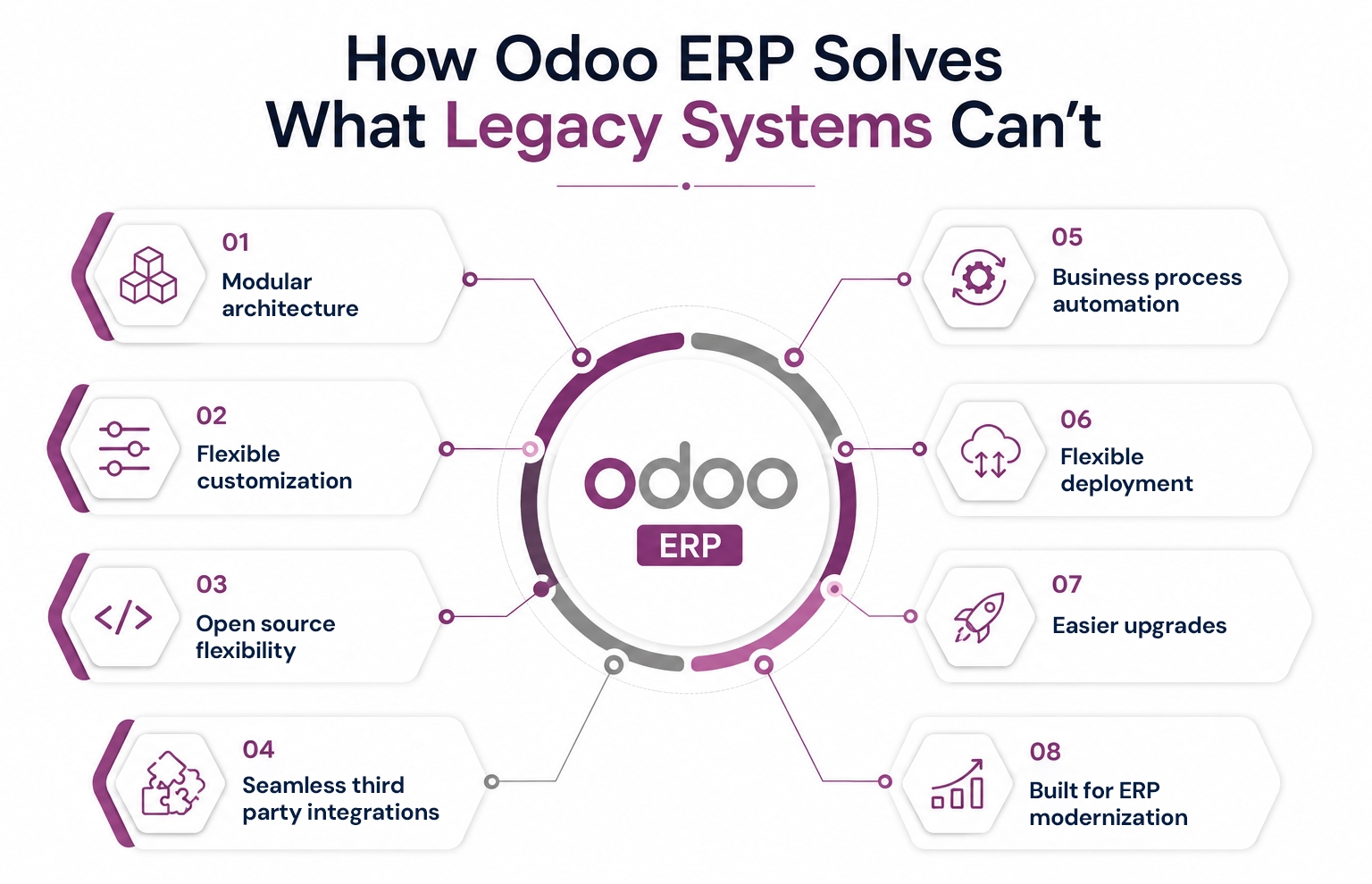
Modular architecture: Start with Sales or Accounting, add modules as you need them. No large scale deployment, no paying for functionality you won't use for another two years.
Flexible customization: Forms, reports, and dashboards get built around how your team actually works, not around what the vendor decided your workflow should look like.
Open source flexibility: As open source software, Odoo doesn't lock you into one vendor for every future change. You can extend it, or bring in a different partner, without starting over.
Seamless third party integrations: Odoo exposes XML-RPC/JSON-RPC and a REST layer. That's what lets it connect to eCommerce, payment, and CRM tools without the custom middleware legacy systems require.
Business process automation.: This is concrete, not abstract. Odoo's Quality module can trigger an in process check directly on the work order, and the operator physically cannot close the step until the check passes. That's the kind of control we built for a chemical manufacturing client to get batch traceability that would hold up in an audit. It's an operational guardrail, not a checkbox feature.
Flexible deployment: Cloud, on premise, or hybrid. You choose based on compliance needs and infrastructure, not because the vendor only offers one option.
Easier upgrades, with the right caveat: Modular architecture means you're not forced into disruptive, system wide upgrades. But we'll be straight with you: your customizations don't upgrade themselves for free. That's the actual value of a Odoo migration partner, not a promise that upgrades disappear.
Built for ERP modernization: As of Odoo 19.3, with agentic AI features rolling out through Odoo 20, the roadmap is shipping AI and automation improvements into the core platform on a predictable release cycle, not as a bolted on module you buy separately.
Community vs. Enterprise: the question nobody asks until it's too late
Odoo comes in two editions, and glossing over this is where a lot of comparisons lose credibility. Odoo Community is free and open source, with core accounting, sales, inventory, and CRM functionality. Odoo Enterprise is Odoo's paid, proprietary edition. It adds features like advanced manufacturing (MRP II), studio customization tools, and official support directly from Odoo.
Most growing mid market businesses land on Enterprise because the support SLA and advanced modules pay for themselves quickly; Community suits a leaner, more technical team willing to self support. Being upfront that Enterprise is a paid license, not "free open source," is part of why the rest of this comparison holds up.
Odoo ERP vs Traditional ERP: Which Delivers Better Business Value
| Factor | Odoo ERP | Traditional ERP |
|---|---|---|
| Total Cost of Ownership | Lower, scales with usage | Higher licensing plus upkeep |
| Deployment Time | Weeks to months | Months to years |
| Customization | Flexible, cost effective | Expensive, hard to maintain |
| Automation | Built in across modules | Needs added software |
| AI Readiness | Native, version-tied roadmap | Limited or third party |
| Integrations | API-first, low overhead | Needs custom middleware |
| Upgrade Process | Modular, scoped, predictable | Disruptive, costly |
| Scalability | Expands with the business | Raises cost as you grow |
How Odoo Compares to the Big Three
"Odoo vs traditional ERP" comparisons skip the question you're actually asking: Odoo vs which system. Here's how it stacks up against the three platforms we see most often in evaluations.
For reference, Odoo's own published pricing runs from about $25 to $39 per user, per month on the Standard plan, and about $49 to $76 per user, per month on the Custom plan (varies by region and billing term), with all apps, hosting, and support included at either tier. That single number, not a "starting from" figure with modules priced separately, is the baseline the comparisons below are measured against.
Odoo vs. SAP Business One: SAP Business One's cloud pricing commonly runs from $40 to $150 or more per user, per month, depending on tier and region, before implementation. Implementation is typically partner quoted rather than fixed, which makes budgeting harder up front. Odoo's Standard and Custom plans are published, tiered, per user prices you can check yourself. SAP B1 still has an edge in some deep manufacturing and multi entity finance scenarios; for most mid market operations, Odoo covers the same ground for meaningfully less.
Odoo vs. NetSuite: NetSuite charges a base platform fee (commonly around $999/month) plus $129 to $199 per full user, per month, with modules priced separately. Your monthly bill grows in pieces that are easy to lose track of. Odoo's all apps pricing means you're not re-negotiating every time you turn on a new module.
Odoo vs. Microsoft Dynamics 365: Microsoft Dynamics 365 licensing commonly runs $40 to $200 per user, per month, depending on the modules and licensing tier, and its implementations frequently land in six figure territory for mid market rollouts. It's a strong fit if you're already deep in the Microsoft ecosystem; outside of that, you're paying for integration depth you may not use.
Two Questions Worth Asking Before You Switch
Isn't open source risky? Who do we call when something breaks?
Fair question. Open source means the code isn't locked behind one vendor, but that doesn't mean you're on your own. Odoo Enterprise includes official support, and an implementation partner adds a second layer: someone who knows your specific configuration, not just the product in general.
What happens to our customizations when we upgrade?
This is the honest answer, not the marketing one. Customizations can break at upgrade time, on Odoo or any ERP. The difference is how much that costs you. With a partner who documents and actively maintains your customizations, an upgrade is a scoped, budgeted project. Without one, it's a surprise. That's precisely why a migration and support engagement exists, not to promise upgrades are effortless, but to make them predictable.
How to Successfully Transition from Traditional ERP to Odoo
Assess and plan. Map your existing workflows, operational pain points, and business objectives across finance, inventory, manufacturing, CRM, and procurement. Decide which modules you need on day one versus later. Odoo's modular architecture means you don't have to solve for everything at once.
Migrate and configure. Historical transactions, customer records, financial data, and supplier details get migrated and validated before go-live. Where standard functionality doesn't match a specific workflow, that's where Odoo custom development (reports, dashboards, integrations) comes in, without overbuilding what you don't need.
Train and adopt. Your team needs real training, not a PDF. Many businesses roll modules out in phases rather than switching everything at once, which lowers risk and gives people time to adjust.
Considering the move? Our team has run this exact transition for manufacturing, retail, and distribution businesses, including a 228-store POS retail rollout and the Salesforce to Odoo consolidation.
Even after go-live, this isn't a set it and forget it system. Regular reviews, workflow refinements, and new module adoption over time are what actually extract long term value from an ERP investment.
Conclusion: Should You Switch?
Stay on your traditional ERP if your operations are stable, your customizations are deeply embedded and working, and the cost of migration outweighs the friction you're currently feeling.
Move to Odoo if you're growing, your team is duct taping disconnected systems together, your upgrade costs keep climbing, or you're paying for AI and automation capabilities you still don't actually have.
Most businesses in the second category wait too long to make the call. Not because the case isn't clear, but because the transition feels riskier than staying put. With a partner who's done the migration before and maintains what gets built, it's a scoped project, not a leap.
Frequently Asked Questions
1.Why do businesses choose Odoo over a traditional ERP?
Greater flexibility, lower total cost of ownership, modular implementation, and easier customization than most legacy platforms, without the multi year rollout.
2.What makes Odoo different from legacy ERP software?
A modular architecture that lets you implement only what you need and expand later, paired with a modern interface and easier integrations via its API layer.
3.Is Odoo suitable for small and mid-sized businesses?
Yes. You can start with core modules and scale up, avoiding the large upfront investment typical of SAP, NetSuite, or Dynamics 365 implementations.
4.Can Odoo replace SAP, Oracle, or Microsoft Dynamics?
For many mid market businesses, yes. Odoo matches core ERP functionality with more flexibility and lower cost. Complex global, multi entity operations should evaluate specific needs first.
5.What should businesses consider before migrating to Odoo?
Existing workflows, data migration scope, required integrations, and training plans, and choosing an implementation partner with a track record of maintaining customizations through version upgrades.