


 Updated on 9 April 2026


For trading companies that operate globally, multi-currency management in Odoo is essential it enables precise handling of transactions, accounting, and reporting across multiple currencies. It guarantees smooth currency conversions and real-time exchange rate updates, reducing errors and improving financial transparency across your entire business operation.
With Odoo's multi-currency feature, trading companies can send and receive purchase orders, quotations, and sales invoices in a variety of currencies without any manual conversion. Enabling this feature allows your finance team to perform transactions, manage bank accounts, and run reports on foreign exchange activities all from within a single platform.
Businesses can create bank accounts in different currencies, issue and receive invoices in a customer's or supplier's local currency, record transactions in multiple currencies simultaneously, and generate foreign exchange activity reports with full accuracy. For trading companies managing cross-border buying and selling daily, this capability is not a feature addition it is a core operational requirement.
Why Multi-Currency Management Matters for Trading Businesses?
Trading companies deal with suppliers and customers across different countries, each expecting transactions in their own currency. Without a structured multi-currency system, your finance team spends valuable time on manual conversions, increasing the risk of pricing errors and financial discrepancies on every international transaction.
Exchange rates fluctuate daily, and every open purchase order or sales invoice carries currency risk until it is settled. When payment dates differ from invoice dates by 30, 60, or 90 days, the actual cost of an import or the real value of an export can shift significantly and without automated tracking, these differences go unrecorded and silently erode your margins.
Accurate multi-currency accounting is also a compliance and reporting requirement for most trading businesses. Management needs consolidated financial statements in a single base currency, while regulators and auditors require that every foreign currency transaction is recorded with a verifiable exchange rate something manual spreadsheet-based processes cannot reliably deliver at scale.
Before setting up multi-currency in Odoo, it is worth mapping out a clear strategy for how your trading business will manage foreign currencies across buying, selling, and reporting. Defining your currency hierarchy, pricelist structure, and exchange rate update policy from the start will save significant rework later and ensure your Odoo configuration reflects real-world trading operations from day one.

How to Enable and Configure Multi-Currency in Odoo: Step by Step
Setting up multi-currency in Odoo is a straightforward process, but the configuration decisions made at this stage directly determine the accuracy of every foreign currency transaction, payment, and financial report your trading business generates going forward.
Step 1: Activate multi-currency in accounting settings
Navigate to Accounting → Configuration → Settings. Scroll to the Currencies section and enable the multi-currencies toggle. This single switch unlocks currency selection across all purchase, sale, invoice, and payment documents throughout the system.
Step 2: Set your company's base currency
Your base currency is the foundation of all financial reporting in Odoo. Every foreign currency transaction will be automatically converted to this currency for your ledger, P&L, and balance sheet. This must be confirmed before any transactions are created Odoo defaults to the currency of the country your company is registered in.
Step 3: Enable and activate foreign currencies
Go to Accounting → Configuration → Currencies. Odoo supports 167 currencies globally. Toggle on the currencies relevant to your trading corridors USD, EUR, GBP, AED, SGD, or others and set the exchange rate manually or via automatic updates.
Step 4: Configure automatic exchange rate updates
Odoo can automatically fetch live exchange rates from the European Central Bank or Yahoo Finance. Set the update frequency to daily for active import-export businesses. You can also assign default currencies to vendor and customer records so every new document pre-fills the correct currency without manual selection.
Getting this configuration right is a foundational step of any Odoo ERP deployment. A structured Odoo Implementation ensures your multi-currency setup is aligned with your trading workflows, chart of accounts, and financial reporting requirements from day one
Managing Multi-Currency Buying in Odoo (Purchase Workflow)
Once multi-currency is enabled, your purchasing team gains full flexibility to raise purchase orders in any vendor's preferred currency.
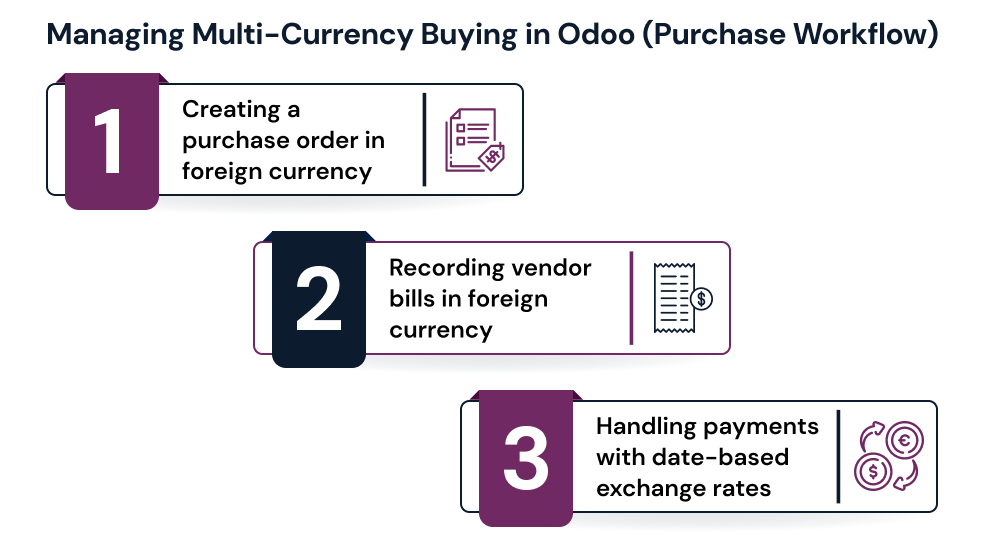
1.Creating a purchase order in foreign currency
When creating a new purchase order, simply select the vendor's currency from the currency dropdown on the order header. Odoo immediately converts the line-item amounts to your base currency at the current exchange rate and shows both values on the document. Your vendor receives the order in their currency; your accounting records it in yours.
2. Recording vendor bills in foreign currency
When the vendor invoice arrives, you record it as a vendor bill in the same foreign currency as the purchase order. Odoo matches the bill to the PO and automatically generates the correct accounting entries crediting the vendor's account in the foreign currency and recording the base currency equivalent.
3. Handling payments with date-based exchange rates
If your purchase order was raised at one exchange rate but paid 45 days later at a different rate, the actual cost in your base currency has changed. When you register the payment, specify the exchange rate on that payment date and Odoo automatically creates an exchange rate difference journal entry to record the resulting gain or loss. For trading companies with extended import payment terms, this tracking is essential for accurate cost-of-goods reporting.
Managing Multi-Currency Selling in Odoo (Sales Workflow)
On the revenue side, Odoo gives trading companies the tools to quote, invoice, and collect in any customer currency while keeping your books clean in your base currency.
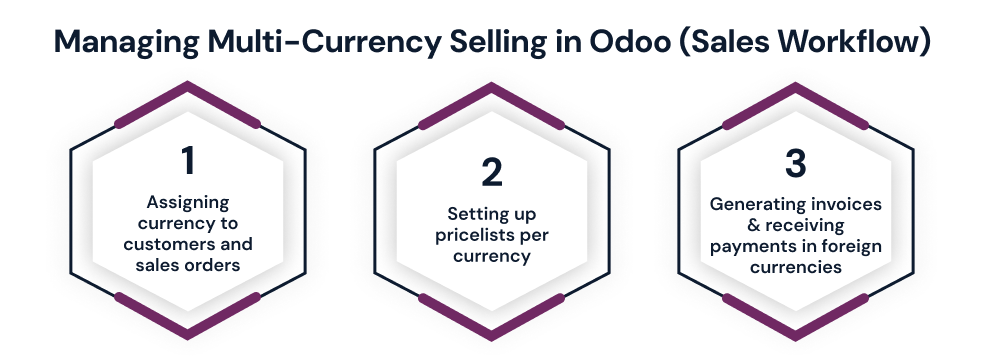
1. Assigning currency to customers and sales orders
You can set a default currency on every customer record in Odoo. When your sales team creates a quotation for that customer, the currency auto-fills. This eliminates manual selection errors and ensures consistency across all documents for that customer relationship.
2. Setting up pricelists per currency
For trading companies with established export markets, Odoo's pricelist feature is particularly valuable. You can create a separate pricelist for each currency for example, a USD pricelist for North American buyers and a EUR pricelist for European distributors. This lets you fix export prices in the buyer's currency independently of exchange rate fluctuations, protecting your margins on long-term contracts.
3. Generating invoices and receiving payments in foreign currencies
Customer invoices are generated in the customer's currency, and Odoo automatically converts the revenue to your base currency at the invoice date rate. When payment arrives, you register it in the currency received. If the rate has moved between invoice date and payment date, Odoo posts the exchange difference automatically either as realized forex gain or realized forex loss.
Some trading companies also need currency-specific workflows beyond standard Odoo custom invoice layouts per currency, multi-currency sales agent commission calculations, or specific tax handling for different trade corridors. These workflows can be built through Odoo customization tailored to your trading operations.

Payments, Bank Reconciliation, and Exchange Rate Differences
For foreign currency payments, set up your bank journals in Odoo to support the relevant currencies. A USD bank account should have its journal configured in USD so that bank statement imports match transactions cleanly without conversion mismatches. Odoo then reconciles foreign currency payments to invoices automatically, posting any rate difference to your exchange gain or loss account.
Understanding the distinction between unrealized and realized forex gain/loss is essential for trading companies. Unrealized gain/loss reflects the changed base-currency value of open, unpaid invoices due to rate movements. Realized gain/loss is locked in at the moment of payment. Odoo tracks both automatically and supports period-end currency revaluation to keep your balance sheet accurate at month-end rates.
Multi-Currency Reporting and Automation for Trading Companies
Odoo's Unrealized Currency Gains/Losses report (Accounting → Reports) gives trading companies a real-time view of all open invoices and bills that have shifted in base-currency value due to rate movements an essential tool for forecasting forex exposure on large open positions.
Your standard P&L and Balance Sheet always consolidate in your base currency, with full drill-down into underlying foreign currency transactions available at any time.
Best Practices and Common Mistakes for Multi-Currency Trading in Odoo
A few configuration decisions make the difference between a smooth multi-currency operation and a recurring accounting headache.
Best practices to follow:
Confirm your base currency before creating any transactions it cannot be changed retroactively without significant data impact.
Enable daily automatic exchange rate updates for any trading business with active open purchase orders or sales invoices in foreign currencies.
Use pricelists to lock contract prices in buyer currencies for agreements longer than 30 days, protecting against rate volatility.
Reconcile foreign currency bank accounts weekly to catch exchange discrepancy issues before they compound at month end.
Common mistakes to avoid:
Using manual rate entry without a formal approval process this creates audit trail gaps and inconsistency across documents.
Failing to configure exchange difference accounts in your chart of accounts before go-live, causing errors on the first foreign currency payment.
Leaving automatic rate updates disabled then forgetting to update manually this creates a false picture of your forex exposure across all reports.
Conclusion
Odoo gives trading companies a single platform to manage multi-currency buying, selling, payments, and financial reporting with full accuracy. Every exchange rate difference is tracked, every forex gain or loss is recorded, and every report consolidates in your base currency automatically.
To get the most out of multi-currency management in Odoo, your implementation and ongoing configuration must be handled correctly from the start. Ongoing Odoo support and maintenance keeps your exchange rates, reconciliation, and forex workflows running reliably.
Frequently Asked Questions
Q1: Can Odoo manage buying and selling in different currencies simultaneously?
Yes, each purchase order and sales order can be set to a different currency independently, with automatic base currency conversion on all documents.
Q2: How does Odoo update exchange rates automatically?
Odoo fetches live rates from the European Central Bank or Yahoo Finance on a daily, weekly, or manual schedule configured in Accounting Settings.
Q3: How does Odoo record foreign exchange gain and loss?
Odoo automatically posts exchange rate difference journal entries at payment, tracking both unrealized and realized forex gains and losses separately.
Q4: Can I set different prices for customers in different currencies?
Yes, Odoo's pricelist feature lets you create a dedicated pricelist per currency, fixing export prices independently of daily rate movements.
Q5: Is Odoo suitable for import-export trading companies managing multiple currencies?
Yes, Odoo supports 167 currencies, automates rate updates, and handles the full multi-currency buying, selling, and reporting workflow natively.
Get Odoo multi-currency right from day one.