




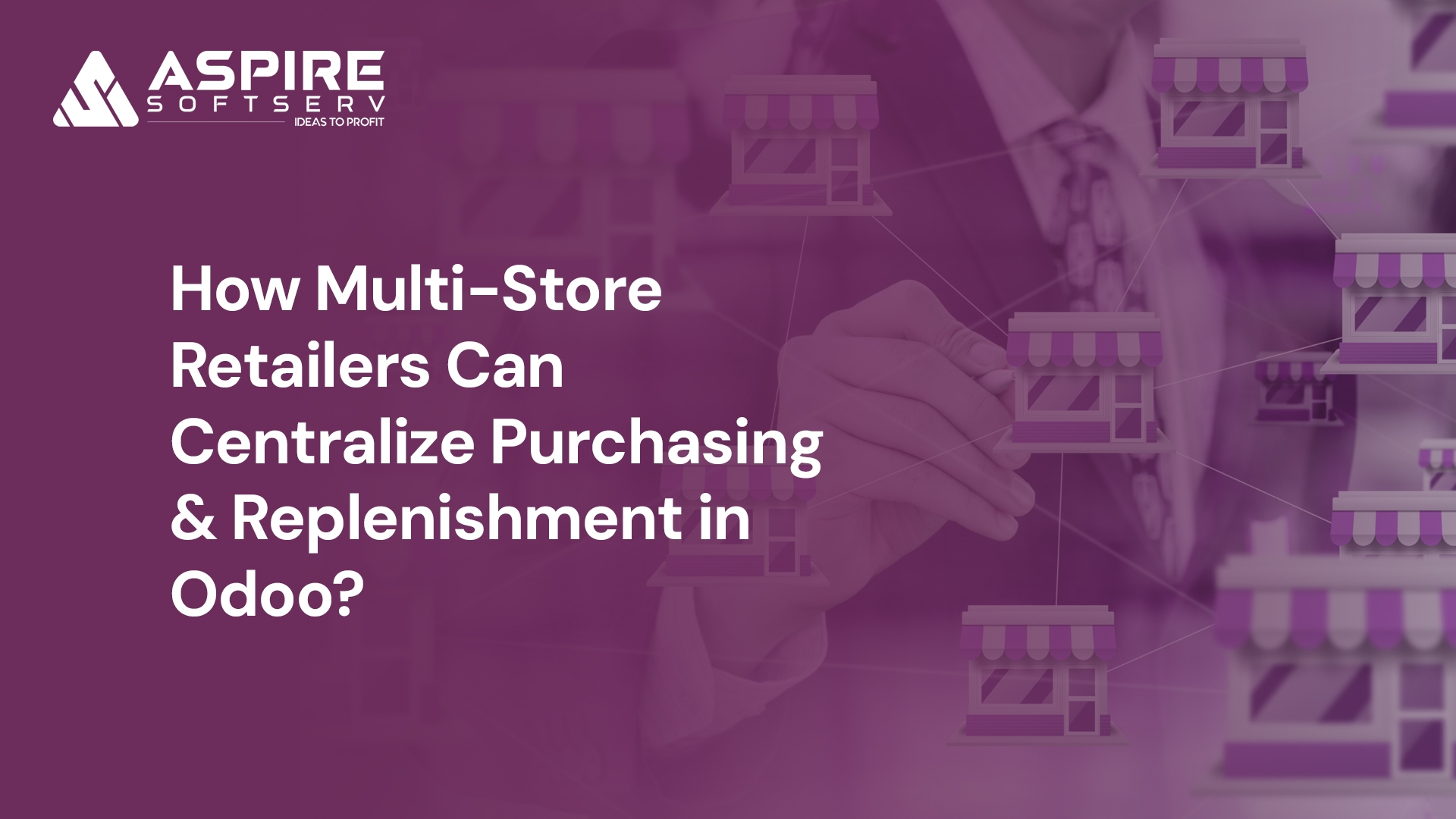
Running a single retail store is manageable. Managing inventory across multiple locations introduces complexity that catches even experienced retailers unprepared. A customer visits your downtown store seeking a product out of stock for a week, while your suburban location has twelve units sitting idle.
This is a structural problem that emerges when retail operations scale without proper systems. Purchasing happens in silos, inventory fragments across spreadsheets, and store managers order independently, missing bulk purchasing opportunities. Each new location multiplies coordination demands exponentially.
Odoo solves this through centralized purchasing and automated replenishment. Its integrated ERP platform treats your entire retail operation as one connected system, delivering real-time visibility, automated workflows, and coordination tools to run efficiently across all locations.
Common Inventory Challenges in Multi-Store Retail
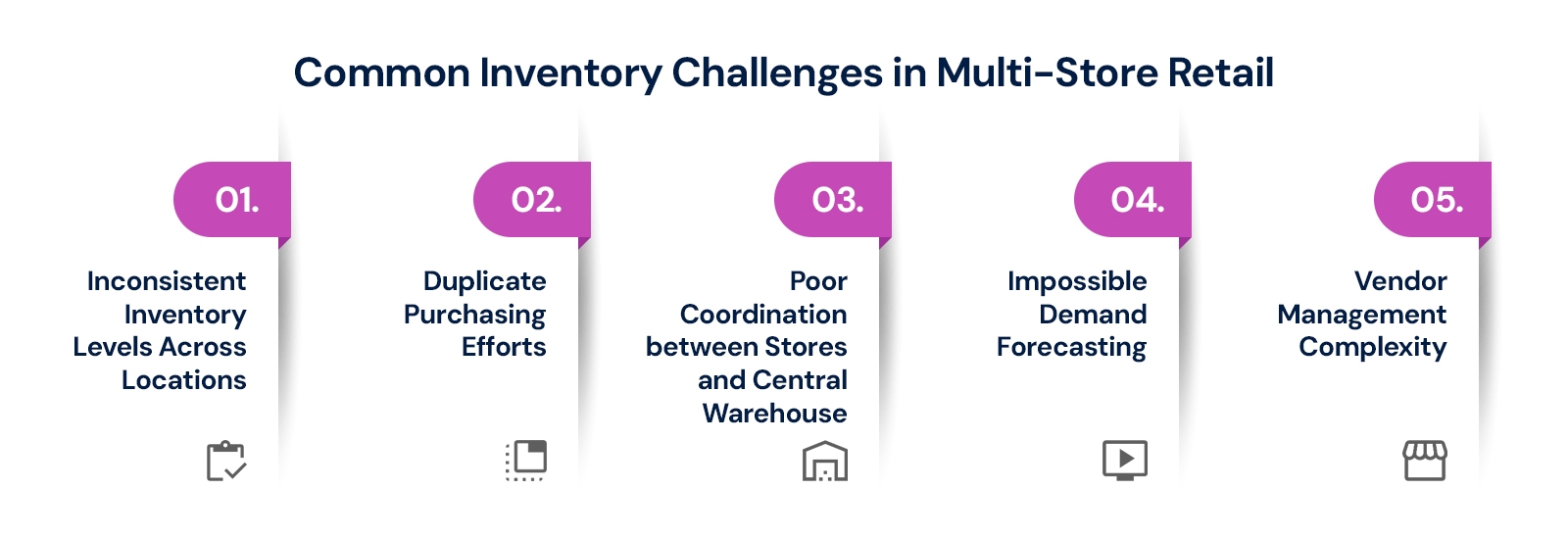
Scaling from one store to many is exciting, but without centralized systems, operational cracks appear quickly. Symptoms include inventory imbalances, duplicate purchasing, poor coordination, and messy vendor management draining profitability.
Inconsistent Inventory Levels Across Locations: Some stores overstock while others run dry. Capital gets trapped in slow-moving inventory at one location while customers at another walk away empty-handed.
Duplicate Purchasing Efforts: When store managers handle procurement independently, you lose volume consolidation. Multiple managers ordering the same SKU means no bulk buying power and increased errors.
Poor Coordination Between Stores and Central Warehouse: Transfers happen reactively rather than proactively. By the time a store flags a shortage, replenishment is already behind, creating preventable stockouts.
Impossible Demand Forecasting: When sales data lives in separate systems, purchasing relies on instinct. Without unified visibility into what's selling where, accurate forecasting becomes impossible, causing chronic overstock or shortages.
Vendor Management Complexity: Multiple buyers negotiating independently creates pricing inconsistencies and invisible total purchasing volume. Vendors who could offer better deals never see your consolidated demand.
Overstock ties up working capital, stockouts push customers to competitors, and administrative overhead grows with every location. At some point, the old way stops working and a unified system becomes an operational necessity.
Why Smart Retailers Centralize Inventory and Purchasing?
Centralizing purchasing and replenishment isn't about removing store autonomy it's about building a smarter operational backbone. The advantages compound quickly, transforming fragmented processes into coordinated workflows that improve efficiency and reduce costs.
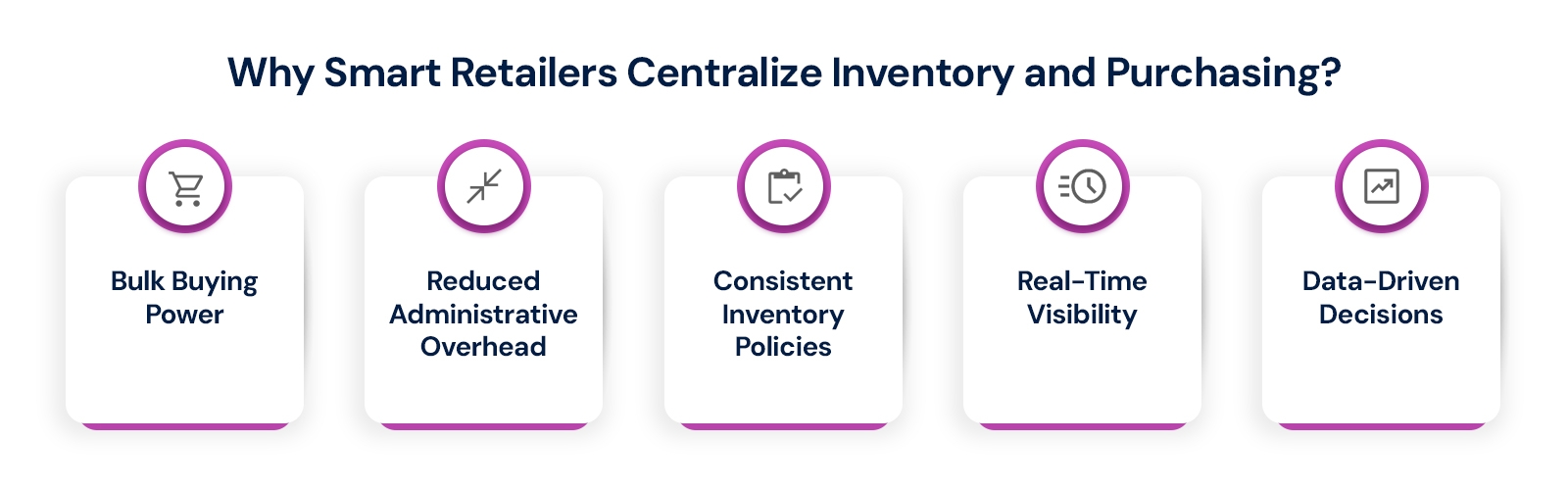
Bulk Buying Power: Consolidating orders across all locations shows vendors your true volume, translating directly into better pricing, favorable payment terms, and stronger supplier relationships individual stores could never achieve.
Reduced Administrative Overhead: One procurement team managing all stores is far more efficient than multiple managers handling independent orders. Fewer purchase orders and vendor contacts free staff for revenue-driving activities.
Consistent Inventory Policies: Every store operates by the same reordering logic, safety stock thresholds, and replenishment triggers. Standardization eliminates interpretation gaps and execution inconsistencies completely across all locations.
Real-Time Visibility: When your entire inventory picture exists in one place, you respond to demand shifts faster, balance stock between locations proactively, and plan purchases with actual data instead of estimates.
Data-Driven Decisions: Historical sales trends, seasonal patterns, and vendor lead times feed directly into replenishment logic. Systematic analysis replaces gut-feel purchasing, reducing stockouts and overstock while optimizing working capital.
Odoo connects inventory, purchasing, sales, and warehouse management into one platform. Centralization isn't just possible it's how the system is fundamentally designed to work, delivering measurable operational gains from day one.
Odoo's Multi-Store Architecture: Key Components
Understanding which Odoo components power multi-store operations is essential before configuring anything. The platform integrates inventory tracking, centralized purchasing, warehouse routing, and reporting into one unified system delivering operational intelligence impossible with standalone tools.
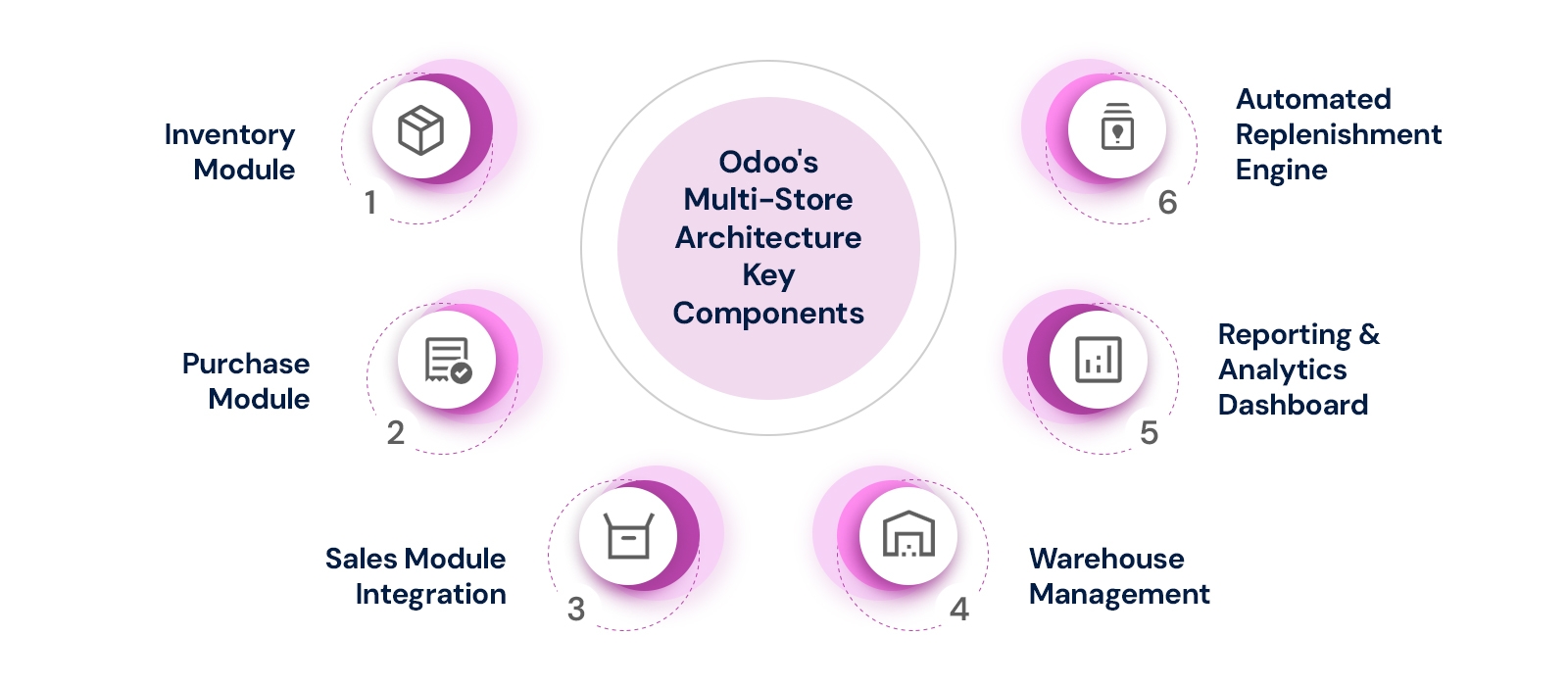
Inventory Module: Built for multi-location management from inception, this module supports multiple warehouses and sub-locations. Every stock movement tracks in real time, giving central teams complete visibility without manual consolidation.
Purchase Module: All purchase orders flow through here, whether generated manually or triggered automatically by reordering rules. Vendor pricelists are managed centrally, applying negotiated pricing consistently across all stores.
Sales Module Integration: Store sales data feeds directly into replenishment logic. When products sell quickly at any location, Odoo factors that velocity into reordering calculations automatically, keeping inventory aligned with actual demand.
Warehouse Management: Odoo's routing capabilities define how stock moves between locations. Push and pull rules control distribution, inter-warehouse transfers handle stock balancing, and dropshipping supports direct supplier-to-store fulfillment.
Reporting and Analytics Dashboard: Consolidated reporting provides unified visibility across all locations. Monitor inventory levels, track replenishment status, analyze purchasing patterns, and compare store performance from one central dashboard.
Automated Replenishment Engine: Reordering rules form the automation backbone. When stock drops below configured minimums, the system generates replenishment requests automatically either internal transfers or new purchase orders as needed.
These modules create complete operational infrastructure for multi-store retail. Their real power emerges through seamless interconnection, coordinating actions automatically across your entire network without manual intervention or reconciliation.
Step-by-Step: Setting Up Centralized Purchasing in Odoo
Implementing centralized purchasing in Odoo requires systematic configuration. Each step builds on the previous, creating the foundation for automated workflows that operate efficiently from day one.
Step 5.1: Configure Multi-Location/Multi-Warehouse Structure
Map your physical operation into Odoo's location hierarchy. Create your central warehouse as the parent location, then set up each retail store beneath it with storage zones reflecting actual organization.
Establish your warehouse hierarchy correctly before proceeding. Navigate to Inventory > Configuration > Warehouses and use consistent naming conventions. Routing rules and replenishment logic configured later depend entirely on this structure being accurate from the start.
Step 5.2: Implement Centralized Procurement Workflows
Configure procurement routes defining how products flow through your system. The core flow follows: vendor supplies central warehouse, which then distributes to stores. Set reordering rules at store level with minimum and maximum stock thresholds.
Define procurement approval thresholds. Routine reorders below set values auto-confirm, eliminating manual intervention. Larger purchases route to managers for review, maintaining control over strategic spending while automating repetitive tasks consuming purchasing team time.
Step 5.3: Establish Automated Replenishment Triggers
Odoo's reordering rules keep stores stocked without manual intervention. Configure three inputs per location: minimum stock level as the trigger point, maximum stock level as the target, and quantity to order when minimum is reached.
Layer in sales forecasting for sophisticated setups. Odoo analyzes historical sales velocity and projects future demand, adjusting reorder quantities accordingly. Record vendor and internal transfer lead times so replenishment triggers early enough to prevent stockouts entirely.
Step 5.4: Configure Replenishment Routes and Rules
Define how replenishment requests propagate through your system. Navigate to Inventory > Configuration > Routes and create a "Resupply from Central Warehouse" route that automatically generates internal transfer orders when store stock hits reorder points.
Configure pull and push rules within each route. Pull rules generate transfers based on demand signals from stores. Push rules initiate transfers when stock arrives at the central warehouse. Match the approach to product characteristics for optimal replenishment efficiency.
Step 5.5: Create Smart Distribution Routes
Configure internal transfer routes defining exactly how stock travels from central warehouse to each store. Enable cross-docking for operations requiring speed, sending vendor stock directly to store transfers without central warehouse put-away steps.
Implement automated stock allocation logic prioritizing which stores receive inventory when central warehouse stock is limited. Set allocation rules based on store priority, sales velocity, or strategic importance. Odoo executes these rules consistently, eliminating favoritism across locations.
Step 5.6: Vendor Management Centralization
Consolidate all vendor relationships in Odoo's centralized vendor database. Each record includes contact information, payment terms, delivery lead times, and performance history. Your purchasing team works from one unified list with no duplicate entries.
Create purchase agreement templates for key suppliers, pre-configuring blanket orders with agreed quantities, pricing, and validity periods. Enable vendor performance tracking to monitor delivery reliability and pricing trends, informing renegotiations based on actual data rather than assumptions.
Advanced Features for Multi-Store Optimization
Once core setup is operational, Odoo's advanced features push efficiency further. These capabilities enable predictive planning, intelligent stock balancing, performance analytics, and operational flexibility that manual processes cannot match regardless of team size.
AI-Powered Demand Forecasting: Analyses historical sales data across all locations to identify trends, seasonal peaks, and SKU-level demand patterns. AI-assisted forecasting adjusts predictions dynamically as new sales data arrives, reducing stockouts and overstock systematically.
Inter-Store Transfer Management: Balance inventory across locations without vendor reorders. When one store has excess stock and another runs low, initiate direct transfers. Track transfer costs to compare stock balancing economics versus new purchase orders strategically.
Centralized Reporting and Analytics: Monitor inventory levels at every location simultaneously from one dashboard. Compare store-by-store performance metrics, analyze purchasing patterns across vendors, and identify slow-moving stock before it becomes write-offs through comprehensive stock aging reports.
Emergency Replenishment Workflows: Handle urgent stock needs outside normal cycles. Create priority transfer requests that bypass standard routing rules. Expedited workflows ensure critical stockouts get resolved quickly without disrupting regular automated replenishment operations for other products.
Multi-Currency and Multi-Warehouse Procurement: Manage vendors across different currencies and warehouses. Odoo handles currency conversions automatically, tracks exchange rate impacts on pricing,and supports procurement from international suppliers with different lead times, payment terms, and compliance requirements.
These advanced capabilities separate basic inventory management from operational excellence. They're not mandatory for initial implementation,but unlock significant efficiency gains as your operation matures and complexity increases with continued growth.
Conclusion
The difference between retail businesses that scale smoothly and those that struggle under operational weight comes down to whether purchasing and inventory are managed as one connected system or as fragmented parts. Centralized operations in Odoo transform chaos into coordination.
What used to be fragmented processes multiple buyers, disconnected systems, reactive decision-making becomes coordinated operations with consistent policies, automated workflows, and real-time visibility across every location. Odoo's architecture grows with you, supporting three stores or thirty with identical efficiency.
Ready to move from reactive to proactive inventory management? The next step is partnering with an Odoo implementation specialist who understands retail operations. The right setup, configured correctly from the start, transforms Odoo's capabilities into genuine competitive advantage for your business.
Frequently Asked Questions
Q1. How does Odoo handle inventory management across multiple store locations?
Odoo's multi-warehouse feature configures each store as a separate location, updating every stock movement in real time for complete central visibility.
Q2. Can Odoo automate purchase orders for a multi-store retail setup?
Yes. Reordering rules set minimum and maximum thresholds per store, automatically generating purchase orders or internal transfers when stock drops below minimums.
Q3. What is centralized purchasing in Odoo, and how does it work?
One procurement team manages all vendor relationships and purchase orders for every store through Odoo's purchase module, handling replenishment requests centrally.
Q4. How does Odoo prevent stockouts across multiple retail locations?
Odoo combines automated reordering rules, demand forecasting, and inter-store transfers, triggering replenishment before stock depletes and redistributing surplus inventory between locations.
Q5. Is Odoo a practical choice for smaller retail chains, not just large enterprises?
Absolutely. A three-store chain benefits equally from centralized purchasing and automated replenishment, with smaller implementation scope meaning lower investment and faster results.
Centralize your retail purchasing from day one