


Automated Employee Time Tracking for Odoo-Run Businesses
HourBeam captures work activity across devices, verifies logged hours, and syncs approved timesheets directly with Odoo - so teams can eliminate manual time entry and keep projects, invoicing, payroll and reporting connected.
- Automated Activity Tracking
- Offline Time Tracking
ACCOUNTING DATA, AUTOMATED
What Is HourBeam?
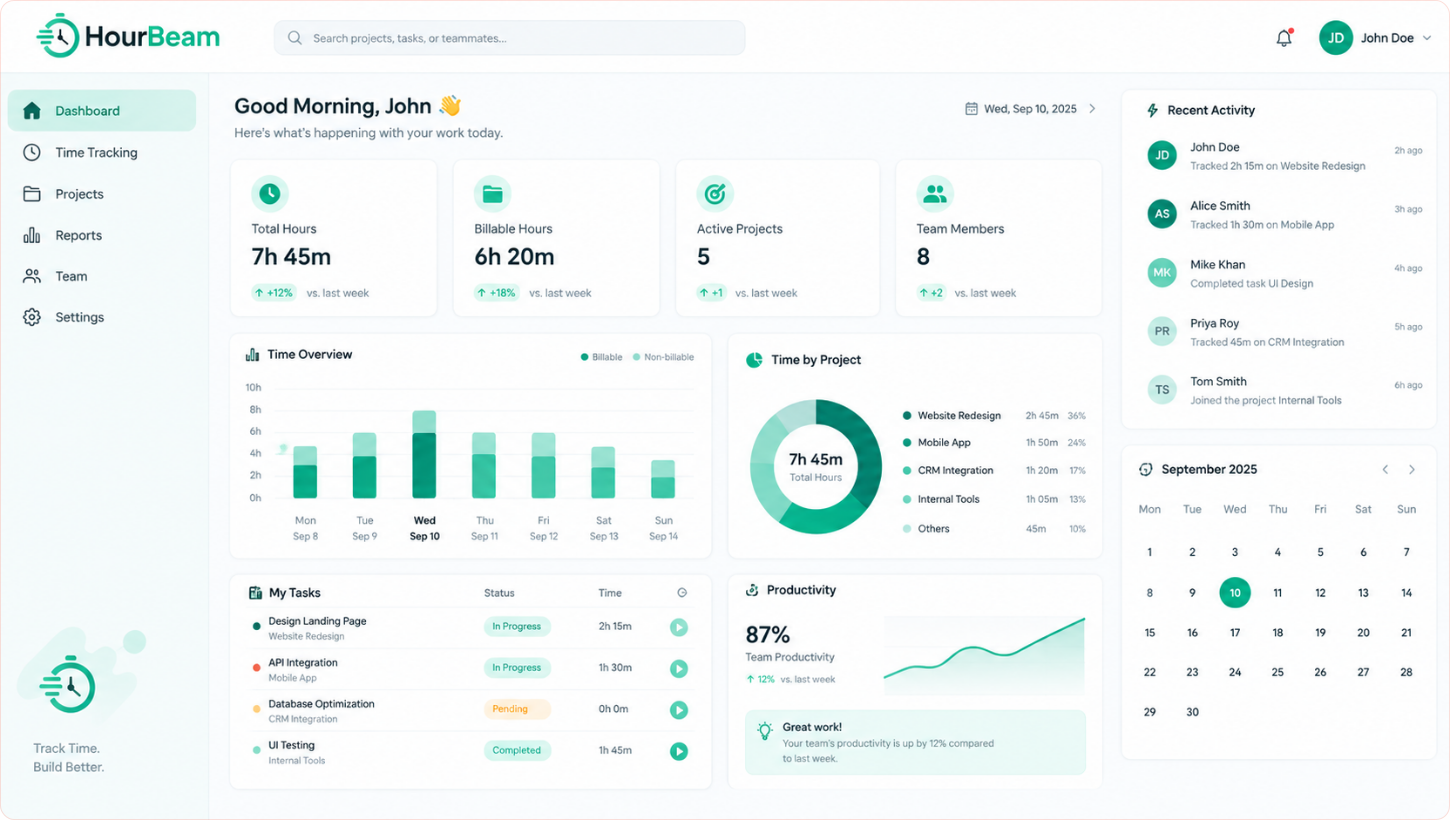
HourBeam is an automated employee time tracking system built for businesses running Odoo. Its desktop app for Windows, macOS and Linux tracks employee activity, while the native Odoo module receives, reviews and manages captured time.
Unlike separate time-tracking tools that require manual reconciliation, HourBeam keeps employee time connected directly to Odoo, so projects, timesheets, invoicing and payroll stay in one workflow.
THE MANUAL ACCOUNTING PROBLEM
Solve Manual Time Tracking With HourBeam
Replace manual time entry with automatic activity tracking, approval workflows, and reliable timesheets inside Odoo.
Problem
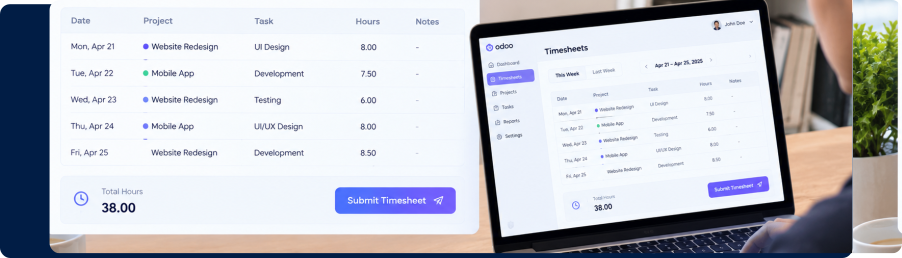
- Employees enter hours from memory
- Timesheets take time to complete
- Incorrect hours need corrections
Solution
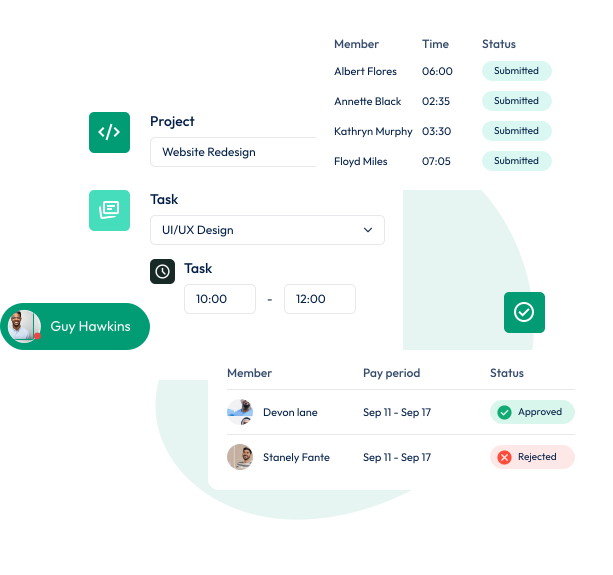
- Automatically track work activity
- Review and adjust captured time
- Sync approved hours to Odoo

Problem
- Managers lack work activity visibility
- Remote hours are difficult to verify
- Frequent check-ins slow teams down
Solution
- Track Active, Idle and Away time
- Optional screenshot verification
- View activity against projects and tasks
Problem
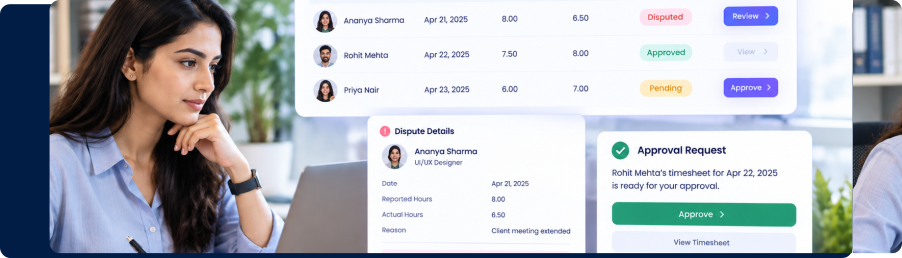
- Hours are difficult to verify later
- Approval history is unclear
- Submitted timesheets can be changed
Solution
- Review and approve entries in Odoo
- Reject entries with comments
- Lock completed timesheet dates

Problem
- Odoo Community has limited approval features
- Enterprise upgrades add extra costs
- Teams rely on spreadsheets for approvals
Solution
- Use HourBeam's own timesheet grid
- Approve timesheets directly in Odoo
- Run the workflow on Odoo Community
Problem
- Employees enter hours from memory
- Timesheets take time to complete
- Incorrect hours need corrections
Solution
- Automatically track work activity
- Review and adjust captured time
- Sync approved hours to Odoo
FROM DOCUMENT TO ACCOUNTING
How HourBeam Works
HourBeam captures work activity, connects it to projects and tasks, and moves approved hours directly into Odoo.
Select a Project or Task
Employees open the HourBeam desktop app and select the project or task they are working on. Recent Task Quick-Start makes it easy to resume the last task.
HourBeam Tracks Automatically
HourBeam tracks activity in the background and classifies time as Active, Idle, or Away. If configured, periodic screenshots can also be captured. Tracking continues locally when the device is offline.
Review and Submit Time
Employees can review their captured time using the interactive timeline and make adjustments when required. Once submitted, entries sync with Odoo automatically.
Manager Approves in Odoo
Project managers review submitted entries inside Odoo and approve or reject them. Administrators can lock completed timesheet dates so approved records remain read-only unless the period is explicitly reopened.
BUILT FOR SMARTER DOCUMENT PROCESSING
Key Features of HourBeam
Everything you need to capture, verify, approve, and manage employee time without leaving your Odoo workflow.

Automated Activity Tracking & Idle Detection
Automatically track employee activity and classify time as Active, Idle, or Away without requiring manual start/stop timers.

Secure Screenshot Verification
Capture optional screenshots at configurable intervals to verify work activity while maintaining control over access and retention.

Offline-First Syncing
Continue tracking without an internet connection and automatically sync time entries when the device reconnects.

Approval Workflows & Timesheet Locking
Let managers review and approve timesheets in Odoo, reject entries with comments, and lock completed dates from further changes.

Project-Level Visibility Controls
Control who can log time against specific projects without giving unnecessary access to project discussions or other information.

Microsoft 365 SSO & Device Security
Allow employees to sign in with Microsoft 365 while maintaining audit records for device activation and login activity.
FROM ACTIVITY TO APPROVED TIMESHEETS
What You Can Do with HourBeam
Track employee time automatically, connect it to Odoo projects, and turn approved hours into reliable records for billing, payroll, and reporting.
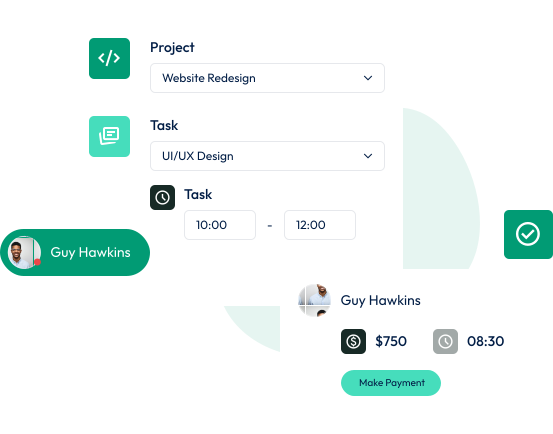
Built for Teams Like Yours
HourBeam is built for teams that need accurate employee time tracking connected directly to Odoo.
Project Time Tracking
Track employee hours against Odoo projects and tasks automatically.
Accurate Billable Hours
Capture working time to support accurate client billing.
Less Manual Entry
Reduce manual timesheet updates and reconciliation.
Ready to connect employee time to your Odoo workflow?
WHY HOURBEAM
Why Businesses Choose HourBeam
HourBeam brings automated time tracking, employee activity visibility, and timesheet approvals into Odoo, helping teams reduce manual entry while keeping time records connected to their business workflows.


Native Odoo Integration
Track employee time directly within Odoo instead of managing a separate system and reconciling timesheets later.

Automatic Time Tracking
Capture employee activity automatically without requiring employees to remember when to start or stop a timer.

Approval Workflows
Let project managers review, approve, or reject timesheet entries directly inside Odoo.

Optional Screenshot Verification
Use configurable screenshot capture to provide additional visibility into employee activity when required.

Offline Time Tracking
Continue tracking without an internet connection and automatically sync time entries when the device reconnects.

Built for Growing Teams
Manage recurring time-tracking workflows across employees, projects, and tasks while keeping everything connected to Odoo.
A SMARTER WAY TO PROCESS DOCUMENTS
HourBeam vs Other Employee Time Tracking Methods
Compare HourBeam with manual timesheets, Odoo native tracking, and third-party time trackers across automation, approvals, integration, and cost.
| HourBeam | Manual / Spreadsheets | Odoo Native Timesheets | Third-Party Trackers | |
|---|---|---|---|---|
| Time tracking | Automatic | Manual | Manual | Automatic |
| Activity detection | Active / Idle / Away | No | No | Available |
| Odoo integration | Native | Manual | Native | Depends on integration |
| Timesheet approval | Yes | Manual | Available | Separate workflow |
| Screenshot verification | Optional | No | No | Available |
| Offline tracking | Yes | Depends on process | No automatic tracking | Depends on product |
| Community workflow | HourBeam grid & approval | N/A | Depends on setup | N/A |
| Best suited for | Odoo-run businesses | Small teams | Manual Odoo users | Standalone tracking |
HourBeam
- Time tracking
- Automatic
- Activity detection
- Active / Idle / Away
- Odoo integration
- Native
- Timesheet approval
- Yes
- Screenshot verification
- Optional
- Offline tracking
- Yes
- Community workflow
- HourBeam grid & approval
- Best suited for
- Odoo-run businesses
Manual / Spreadsheets
- Time tracking
- Manual
- Activity detection
- No
- Odoo integration
- Manual
- Timesheet approval
- Manual
- Screenshot verification
- No
- Offline tracking
- Depends on process
- Community workflow
- N/A
- Best suited for
- Small teams
Odoo Native Timesheets
- Time tracking
- Manual
- Activity detection
- No
- Odoo integration
- Native
- Timesheet approval
- Available
- Screenshot verification
- No
- Offline tracking
- No automatic tracking
- Community workflow
- Depends on setup
- Best suited for
- Manual Odoo users
Third-Party Trackers
- Time tracking
- Automatic
- Activity detection
- Available
- Odoo integration
- Depends on integration
- Timesheet approval
- Separate workflow
- Screenshot verification
- Available
- Offline tracking
- Depends on product
- Community workflow
- N/A
- Best suited for
- Standalone tracking
CONNECTED TO YOUR ACCOUNTING WORKFLOW
HourBeam Integrations
Pricing, best fit, and top strengths for TimeTracker and every tool in this comparison.
- Odoo Projects & Tasks
- Odoo HR & Timesheets
- Microsoft 365
- Odoo Invoicing
- Odoo Projects & Tasks
- Odoo HR & Timesheets
- Microsoft 365
- Odoo Invoicing
- Odoo Projects & Tasks
- Odoo HR & Timesheets
- Microsoft 365
- Odoo Invoicing
- Odoo Projects & Tasks
- Odoo HR & Timesheets
- Microsoft 365
- Odoo Invoicing
- Odoo Projects & Tasks
- Odoo HR & Timesheets
- Microsoft 365
- Odoo Invoicing
- MinIO / S3-Compatible Storage
- REST API
- Custom Integrations
- MinIO / S3-Compatible Storage
- REST API
- Custom Integrations
- MinIO / S3-Compatible Storage
- REST API
- Custom Integrations
- MinIO / S3-Compatible Storage
- REST API
- Custom Integrations
- MinIO / S3-Compatible Storage
- REST API
- Custom Integrations
- MinIO / S3-Compatible Storage
- REST API
- Custom Integrations
- Odoo-Connected Time Tracking
- 100% Odoo-Connected Time Tracking
- Automated Activity Capture
- 24/7 Automated Activity Capture
- Time Tracking Support
- Offline Time Tracking Support
- Connected Odoo Workflow
- 1 Connected Odoo Workflow
END MANUAL DATA ENTRY
Ready to Stop Chasing Timesheets?
Capture employee time automatically, review it in Odoo, and keep approved hours connected to your projects, billing, payroll, and reporting workflows.
- Automated Employee Time Tracking
- Native Odoo Integration
- Optional Screenshot Verification
- Manager Approval Workflows
- Offline Time Tracking
- Odoo Community Support
Frequently Asked Questions About HourBeam
What is HourBeam?
HourBeam is an automated employee time tracking system built for Odoo. It combines a desktop application with a native Odoo module to capture, review, approve, and manage employee time.
How does HourBeam track employee time?
HourBeam runs in the background and automatically tracks activity, classifying time as Active, Idle, or Away. Employees can review their captured time before submitting it.
Does HourBeam integrate with Odoo?
Yes. HourBeam connects employee time tracking with Odoo projects, tasks, HR, timesheets, and invoicing workflows.
Can managers approve timesheets in Odoo?
Yes. Project managers can review, approve, or reject submitted timesheet entries directly inside Odoo.
Can HourBeam work offline?
Yes. HourBeam continues tracking when the device is offline and automatically syncs captured time when the connection returns.
Does HourBeam support screenshots?
Yes. Screenshot verification is optional and can be configured based on your team's tracking and privacy requirements.