
AI Accounting Automation Software for Finance Teams
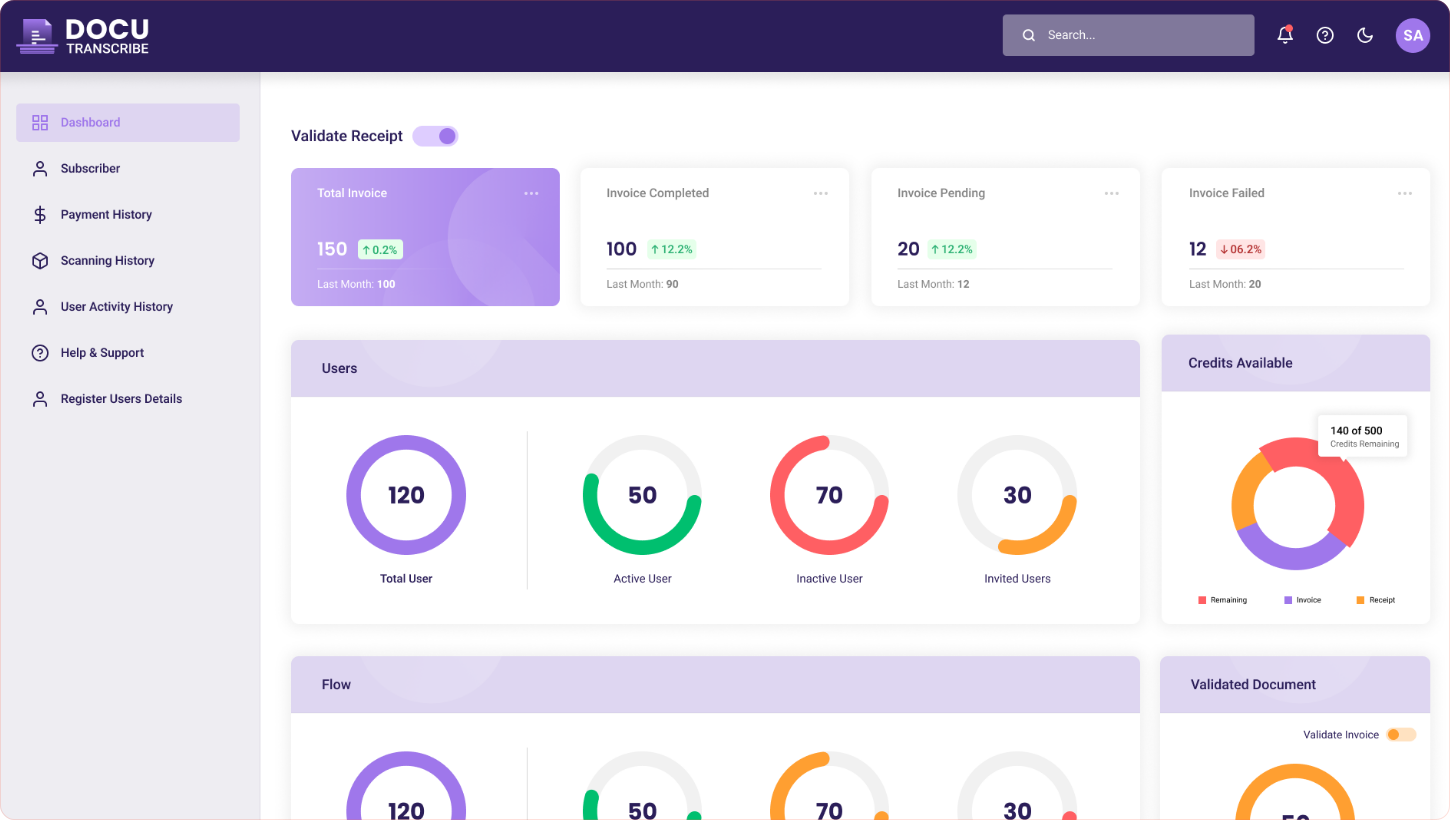
DocuTranscribe uses AI-powered OCR to extract data from invoices, receipts, bank statements, and credit card statements. Review the extracted information, make corrections when needed, and send approved data to your accounting system.
- No Credit Card Required
- Works on Odoo Community
THE TIME TRACKING PROBLEM
What Is DocuTranscribe?
DocuTranscribe is an AI accounting automation platform that extracts financial document data and moves it into your accounting workflow.
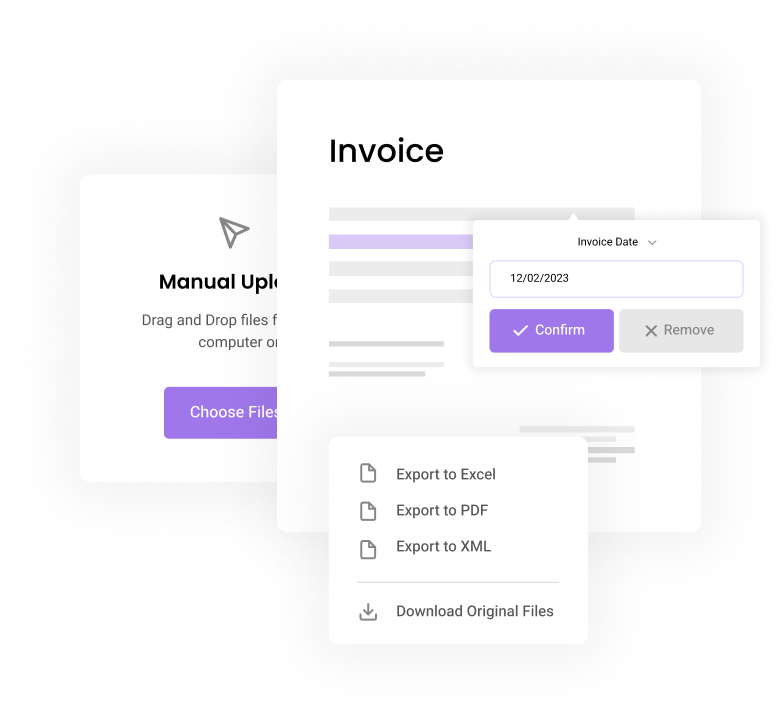
Upload an invoice, receipt, or statement. DocuTranscribe reads the document, identifies relevant accounting information, and presents the extracted data for review before it reaches your books.
THE MANUAL ACCOUNTING PROBLEM
Solve Manual Accounting Data Entry with DocuTranscribe
Turn invoices and business documents into structured accounting data without repetitive manual entry.

Problem
- Staff retype invoice details
- Processing takes hours
- Errors need manual correction
Solution
- AI extracts invoice data
- Review fields before posting
- Sync directly to accounting software

Problem
- Transactions are checked manually
- Large statements take time
- Reconciliation gets delayed
Solution
- Extract statement transactions
- Structure data for review
- Speed up reconciliation workflows
Problem
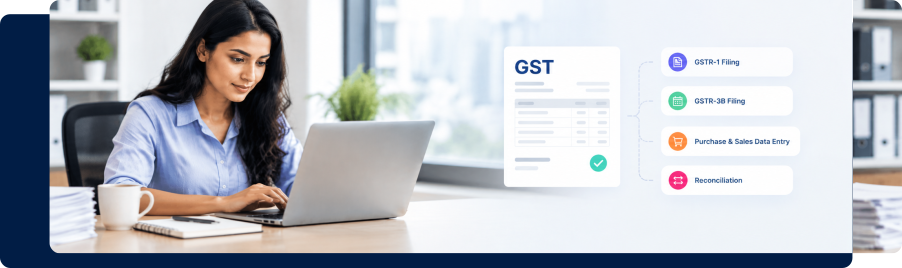
- GST fields are entered manually
- Tax details need repeated checking
- Errors create rework
Solution
- Extract GSTIN and tax fields
- Capture HSN/SAC, CGST, SGST & IGST
- Review before accounting sync

Problem
- Data is entered more than once
- CSV exports add extra steps
- Re-keying increases errors
Solution
- Extract data once
- Review and approve
- Send directly to Tally, Zoho, Xero or Odoo
Problem
- Staff retype invoice details
- Processing takes hours
- Errors need manual correction
Solution
- AI extracts invoice data
- Review fields before posting
- Sync directly to accounting software
FROM ACTIVITY TO APPROVED HOURS
How DocuTranscribe Works
Capture documents, extract the required data, validate the results, and send structured information into your accounting workflow.
Upload or Import
Upload invoices, receipts, bank statements or credit card statements, or import them from Gmail, Outlook, Google Drive, OneDrive or SharePoint.
Extract the Data
AI-powered OCR extracts key accounting information such as invoice details, line items, taxes, GSTIN, HSN/SAC and totals.
Review Before Posting
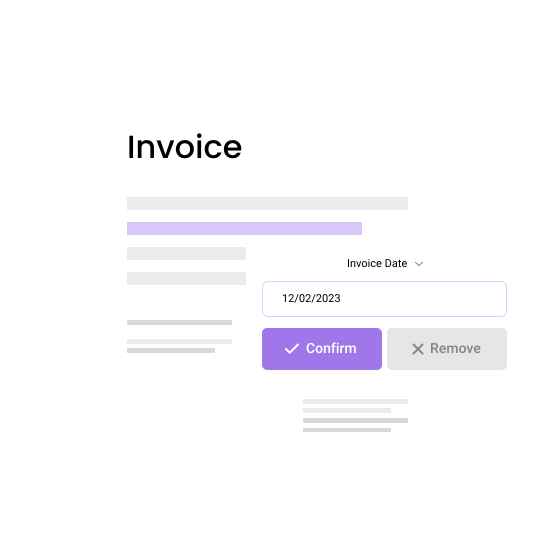
Review extracted data alongside the original document, correct fields when needed, and verify everything before posting.
Sync to Your Accounting System
Send approved data directly to Tally Prime, Zoho Books, Xero or Odoo, with no-code automation available for recurring workflows.
BUILT FOR ACCURATE TIME TRACKING
Key Features of DocuTranscribe
Everything you need to extract, validate, organize, and process document data with less manual effort.

AI-Powered Document Extraction
Extract data from invoices, receipts, bank statements, and credit card statements using AI-powered OCR, so your team can process financial documents without manually copying every field.

Accounting-Specific Data Extraction
Capture accounting fields such as GSTIN, HSN/SAC, CGST, SGST, IGST, line items, parties, totals, and transaction details in a structured format ready for review.

Side-by-Side Document Review
View the original document alongside extracted data, verify key fields, make corrections when needed, and keep control over what gets posted to your accounts.

No-Code Automation Flows
Create repeatable workflows for importing, extracting, reviewing, and exporting documents without writing code, reducing repetitive processing work.

Direct Accounting-System Sync
Send approved data directly to Tally Prime, Zoho Books, Xero, and Odoo, reducing the need to download files, re-enter information, or move data between systems manually.

Multi-Source Import & Access Control
Bring documents in through Gmail, Outlook, Google Drive, OneDrive, SharePoint, or direct upload, while role-based access helps control access to financial data.
FROM DOCUMENT TO ACCOUNTING
What You Can Do With DocuTranscribe
Automate repetitive document-processing tasks and move financial data into your accounting workflow faster.
Built for Teams Like Yours
Built for accounting professionals and finance teams that want to process financial documents faster, reduce manual entry, and connect document data with their accounting systems.
Multi-Client Processing
Process invoices, receipts, and statements across multiple clients from one workflow.
Faster Document Review
Extract accounting data automatically and review the results before sending them to your books.
More Time for Advisory
Reduce repetitive data-entry work so your team can focus on accounting, compliance, and client advisory.
Ready to turn documents into accurate accounting data?
WHY DOCUTRANSCRIBE
Why Businesses Choose DocuTranscribe
From document extraction to accounting-system sync, DocuTranscribe helps finance teams reduce repetitive data entry while keeping review and control in their hands.


Accounting-Focused Extraction
Extract accounting information from invoices, receipts, and statements—not just plain document text.

Review Before Posting
Check extracted data against the original document, correct fields, and approve entries before they reach your books.

Direct Accounting Sync
Move approved data directly to Tally Prime, Zoho Books, Xero, or Odoo without unnecessary re-entry.

No-Code Automation
Build repeatable document workflows for import, extraction, review, and export without writing code.

Multiple Document Sources
Bring documents from Gmail, Outlook, Google Drive, OneDrive, SharePoint, or direct upload into one workflow.

Built for Growing Workloads
Process recurring document volumes with reusable workflows, controlled access, and integrations that fit your existing accounting process.
A BETTER WAY TO TRACK TIME
DocuTranscribe vs Other Financial Document Processing Methods
Compare DocuTranscribe with manual data entry and other document processing approaches across automation, accuracy, workflow, and accounting integration.
| DocuTranscribe | Manual / Excel Entry | Generic OCR | Native Accounting Scanner | |
|---|---|---|---|---|
| Financial document extraction | Yes | No | Yes | Limited |
| Accounting-focused fields | Yes | Manual | Depends on system | Platform dependent |
| Human review | Yes | Yes | Depends on system | Usually |
| Workflow automation | No-code flows | Manual | Depends on solution | Usually limited |
| Tally Prime | Supported | Manual | Depends on solution | Platform dependent |
| Zoho Books | Supported | Manual | Depends on solution | Native |
| Xero | Supported | Manual | Depends on solution | Native |
| Odoo | Supported | Manual | Depends on solution | Platform dependent |
| Multiple document sources | Yes | Manual collection | Depends on solution | Usually limited |
| Best suited for | Recurring accounting document processing | Low document volume | General document extraction | Basic capture within an accounting platform |
DocuTranscribe
- Financial document extraction
- Yes
- Accounting-focused fields
- Yes
- Human review
- Yes
- Workflow automation
- No-code flows
- Tally Prime
- Supported
- Zoho Books
- Supported
- Xero
- Supported
- Odoo
- Supported
- Multiple document sources
- Yes
- Best suited for
- Recurring accounting document processing
Manual / Excel Entry
- Financial document extraction
- No
- Accounting-focused fields
- Manual
- Human review
- Yes
- Workflow automation
- Manual
- Tally Prime
- Manual
- Zoho Books
- Manual
- Xero
- Manual
- Odoo
- Manual
- Multiple document sources
- Manual collection
- Best suited for
- Low document volume
Generic OCR
- Financial document extraction
- Yes
- Accounting-focused fields
- Depends on system
- Human review
- Depends on system
- Workflow automation
- Depends on solution
- Tally Prime
- Depends on solution
- Zoho Books
- Depends on solution
- Xero
- Depends on solution
- Odoo
- Depends on solution
- Multiple document sources
- Depends on solution
- Best suited for
- General document extraction
Native Accounting Scanner
- Financial document extraction
- Limited
- Accounting-focused fields
- Platform dependent
- Human review
- Usually
- Workflow automation
- Usually limited
- Tally Prime
- Platform dependent
- Zoho Books
- Native
- Xero
- Native
- Odoo
- Platform dependent
- Multiple document sources
- Usually limited
- Best suited for
- Basic capture within an accounting platform
CONNECTED TO YOUR ODOO WORKFLOW
DocuTranscribe Integrations
Connect document processing with the systems your finance team already runs on.
- Tally Prime
- Zoho Books
- Xero
- Odoo
- Tally Prime
- Zoho Books
- Xero
- Odoo
- Tally Prime
- Zoho Books
- Xero
- Odoo
- Tally Prime
- Zoho Books
- Xero
- Odoo
- Tally Prime
- Zoho Books
- Xero
- Odoo
- Gmail & Outlook
- Google Drive, OneDrive & SharePoint
- REST API
- Gmail & Outlook
- Google Drive, OneDrive & SharePoint
- REST API
- Gmail & Outlook
- Google Drive, OneDrive & SharePoint
- REST API
- Gmail & Outlook
- Google Drive, OneDrive & SharePoint
- REST API
- Gmail & Outlook
- Google Drive, OneDrive & SharePoint
- REST API
- Gmail & Outlook
- Google Drive, OneDrive & SharePoint
- REST API
- Hours saved on manual data entry
- 800+ Hours saved on manual data entry
- Productivity increase
- 80% Productivity increase
- Extraction precision
- 99%+ Extraction precision
- Professionals using DocuTranscribe
- 1M+ Professionals using DocuTranscribe
STOP CHASING TIMESHEETS
Ready to End Manual Accounting Data Entry?
Put DocuTranscribe to work on your invoices, receipts, and statements. Extract the data, review it, and send it to your accounting system with fewer manual steps.
- 10 Free Credits
- No Credit Card
- AI + OCR Extraction
- Review Before Posting
- Direct Accounting Sync
- Quick Setup
Frequently Asked Questions About DocuTranscribe
What is DocuTranscribe?
DocuTranscribe is an AI accounting automation platform that extracts data from invoices, receipts, bank statements, and credit card statements for review and accounting workflows.
What documents can DocuTranscribe process?
DocuTranscribe can process invoices, receipts, bank statements, and credit card statements, extracting relevant accounting information for review.
How does DocuTranscribe work?
Upload or import your document, let AI-powered OCR extract the data, review the results, and send approved information to your accounting system.
Does DocuTranscribe integrate with Tally Prime, Zoho Books, Xero and Odoo?
Yes. DocuTranscribe supports Tally Prime, Zoho Books, Xero, and Odoo, allowing approved financial data to move into your accounting workflow.
Can I review the extracted data before posting?
Yes. You can review extracted information alongside the original document, correct fields when needed, and approve the data before synchronization.
Can I try DocuTranscribe for free?
Yes. The current offer includes 10 free credits with no credit card required, allowing you to try the document-processing workflow before choosing a paid setup.